Change modelling answers "what happens if I make this change". AI reformulation answers the question before it: "what change should I make".
It proposes lower-impact ingredient swaps and lands them as a new, fully scored change model for you to review. Nothing is applied to your product, so running it is safe: the worst case is a change model you discard.
Starting a run
Open the product's report and click 'Reformulate with AI'.

Setting the target
You tell the agent what to aim for, not which ingredients to touch.
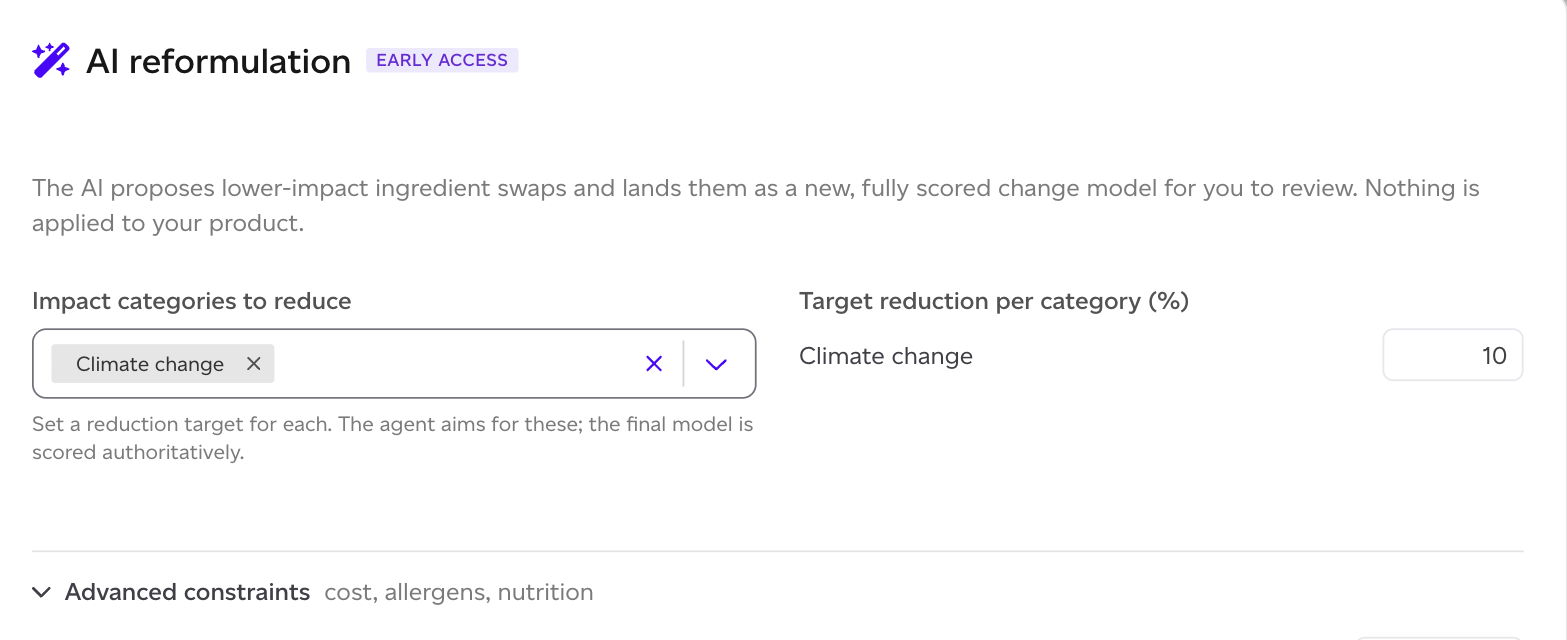
- Impact categories to reduce: pick one or more of the PEF categories. Climate change is the usual starting point, but if your product's profile is dominated by water scarcity or land use, aim there instead.
- Target reduction per category (%): how much you want off each one.
The target is an aim, not a promise. The agent works towards it, and the resulting model is then scored authoritatively by the same engine as any other product, so what you read at the end is a real figure rather than the agent's estimate of its own success.
Constraints, which are the important part
A swap that halves the footprint and breaks the product is not a proposal worth having. Advanced constraints is where you say what must not move.
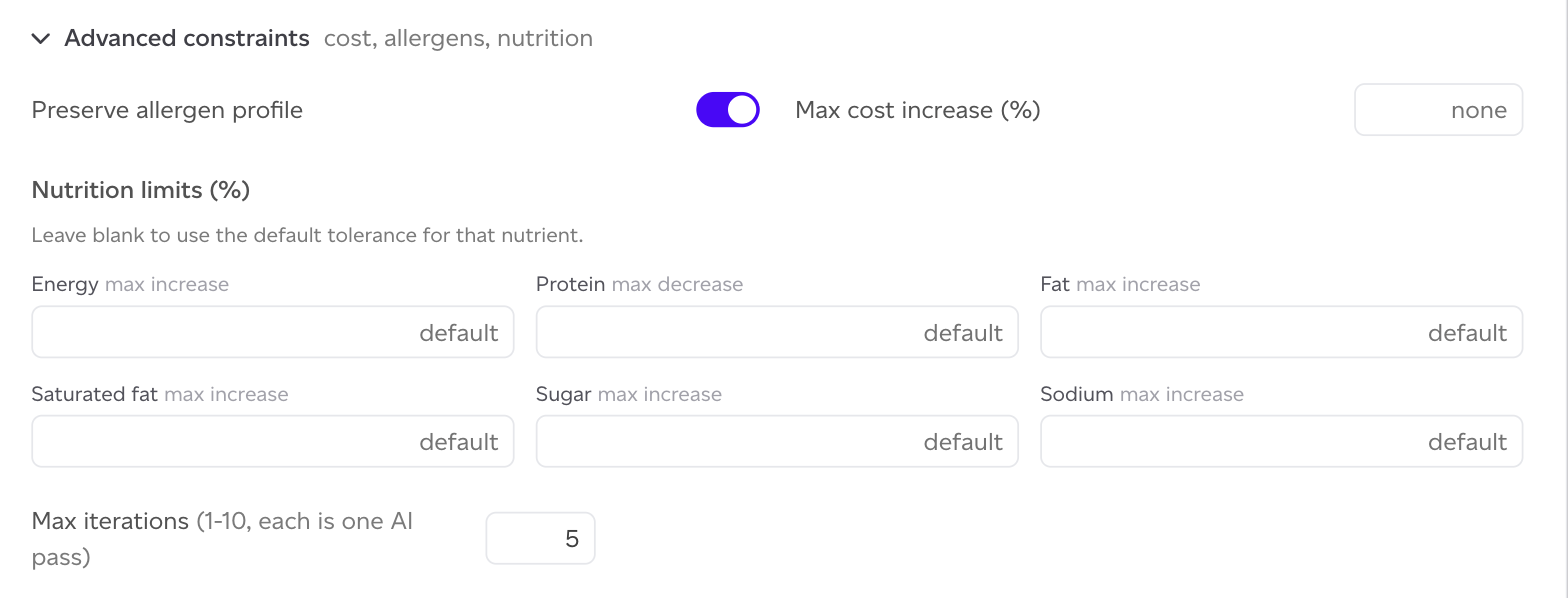
- Preserve allergen profile: on by default, and worth leaving on unless you genuinely can reformulate across an allergen boundary.
- Max cost increase (%): defaults to none, meaning cost is not constrained. Set it if a proposal that costs more is not useful to you.
- Nutrition limits (%): maximum increase for energy, fat, saturated fat, sugar and sodium, and maximum decrease for protein. Leave a field blank to use the default tolerance for that nutrient.
- Max iterations (1 to 10): each iteration is one AI pass. More iterations give the agent more attempts at hitting your target, and cost more.
Then click 'Generate proposal'.
Reading the result
The run produces a change model with the swaps applied, which you read exactly like any hand-built one. See How to understand a change modelling report.
The model records that it came from a reformulation run, so a reader six months later can tell a proposed scenario from one somebody built by hand.
Two things worth knowing about the numbers:
- The estimate is made in the frame of the product you ran it on. Where an ingredient sits inside a sub-recipe used by several products, the effect on those other products will differ.
- A proposal that removes impact without a substitute is a reduction, not a swap. Where a whole set is reductions with nothing to absorb them, the platform says the model cannot be built as-is and suggests restructuring, rather than offering a build button that would fail.
What it will not do
It proposes ingredient substitutions. It does not change your packaging, your manufacturing sites or your distribution, and beyond the constraints you set it knows nothing about supplier availability, taste, or whether the swap is acceptable to your customers. Treat the output as a shortlist to evaluate, not a decision.
Each run counts against your monthly allowance.