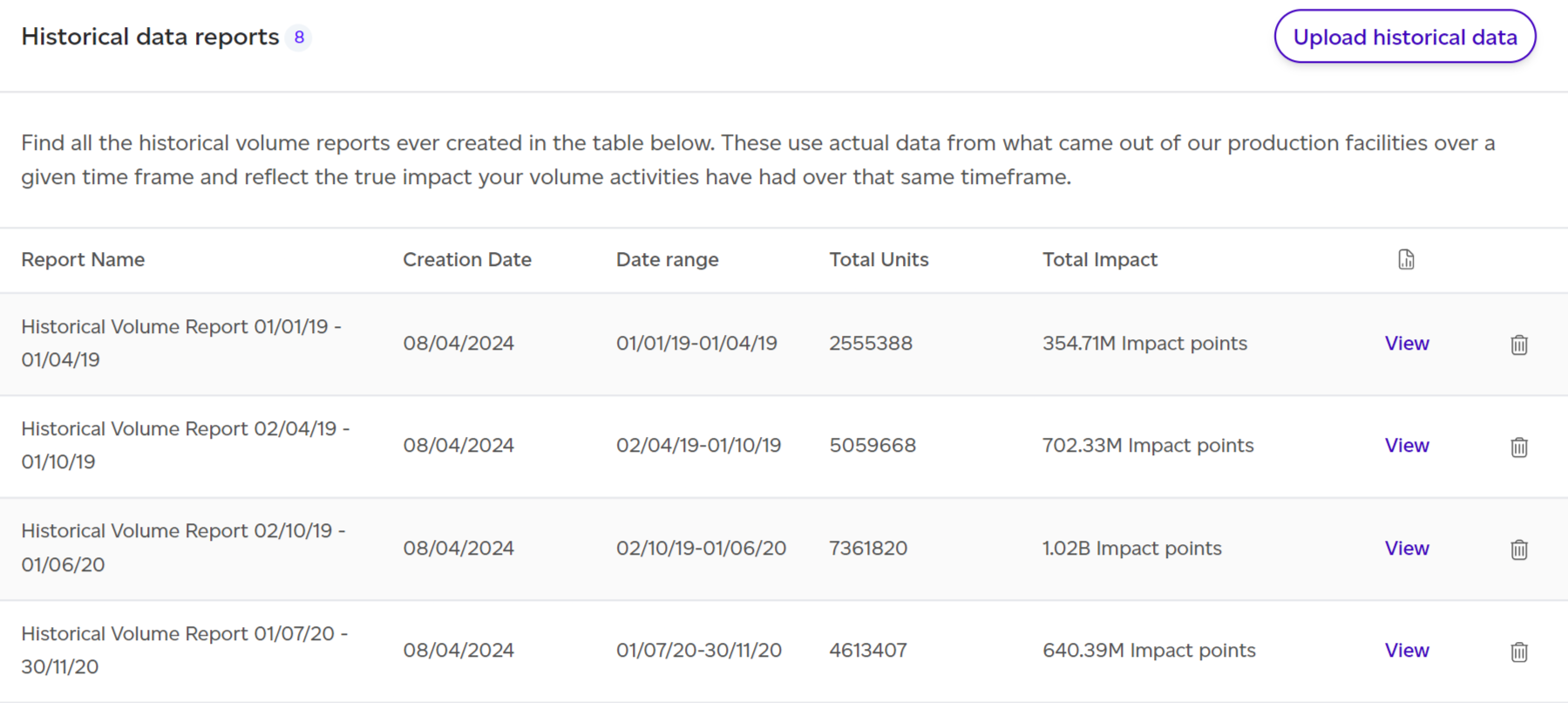
Open Performance > Historical reports in the left rail. From the resulting list, click 'View' next to your desired report.
Dashboard Overview

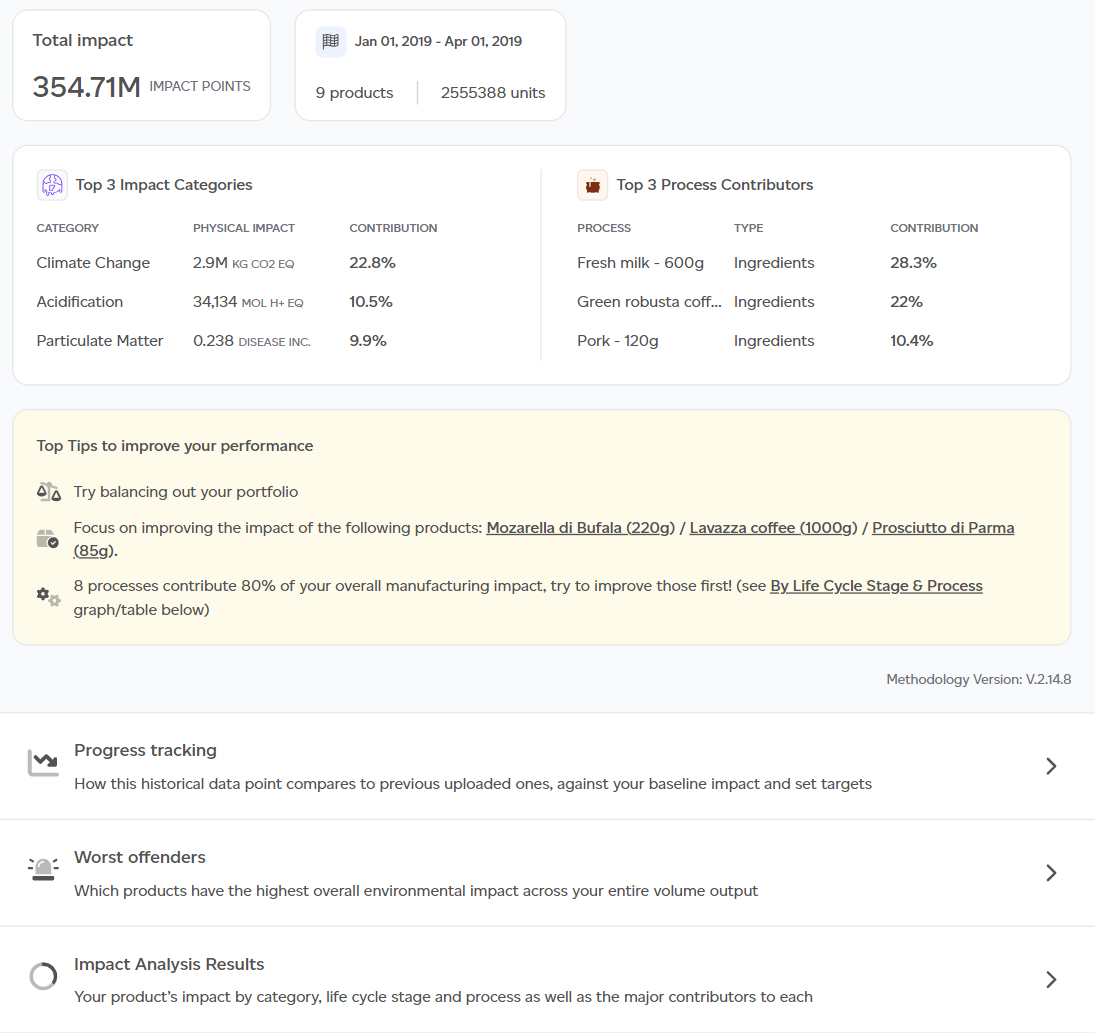
The default PEF Production lens displays key insights:
- Total environmental impact from manufacturing output.
- Actual manufacturing throughput overview (product SKUs, total units, date range).
- Top 3 impact categories and processes.
- Top 3 improvement recommendations.
- Contextual examples translating outputs into relatable comparisons.
- Progress tracking graph showing baseline, historical data, and targets.
- Worst-performing products.
- Product SKU contribution breakdown.
- Highest and lowest impact products.
- Impact breakdown by category, life cycle stage, and process.
- Major contributors summary.
To view results using the GHG Protocol methodology, choose GHG in the lens menu at the top right; the menu also offers Risk and Data quality where your plan includes them.
Products CSV lists the products the report included, with their SKU, units and net amount per unit, and the Product performance CSV lists every product in the report for the overall impact.
Co-products and circularity
Each co-product is counted once. Each product shows its own share; a co-product's share, by mass at the step it leaves, is on its own line, less what the report's products use as an ingredient, since they carry that part. A by-product takes no share. The report lists its co-products and by-products with what is counted on each. See Co-products and by-products.
Where the report's products use co-products or residues, a Circularity section after the product rankings (and after the breakdown in the full report's LCIA tab) gives the share of input mass from them and the impact they avoid compared with the conventional ingredients they replace, across the portfolio, with the top products using them. It sits beside the totals and is never subtracted from them. See Circular ingredients: co-products and residues.
Where the impact concentrates
On Risk & Analytics plans, Where the impact concentrates traces the report's impact to its Raw materials, Countries, Suppliers, Processes and Products, at the report's volumes, for any impact category. Each list shows its share, the impact per kg and the share of primary data, and downloads as CSV. It sits on the overview and in the full report's Concentration tab.
Downloading a PDF
Download PDF at the top of each view saves it as a PDF: the PEF and GHG overviews, and the Risk and Data quality views. A cover page names the report, the view and the workspace, and on the overviews the period. All sections are opened out in the PDF. If your company has a logo, choose With [company]'s logo or Sustained only when you download. See How do I download a volume report as a PDF?
Full Report Structure
Click 'See Full Report' to access comprehensive details organised into tabs:
- Summary: Product count, units, and total impact overview.
- Volumes: Production volumes used in calculations.
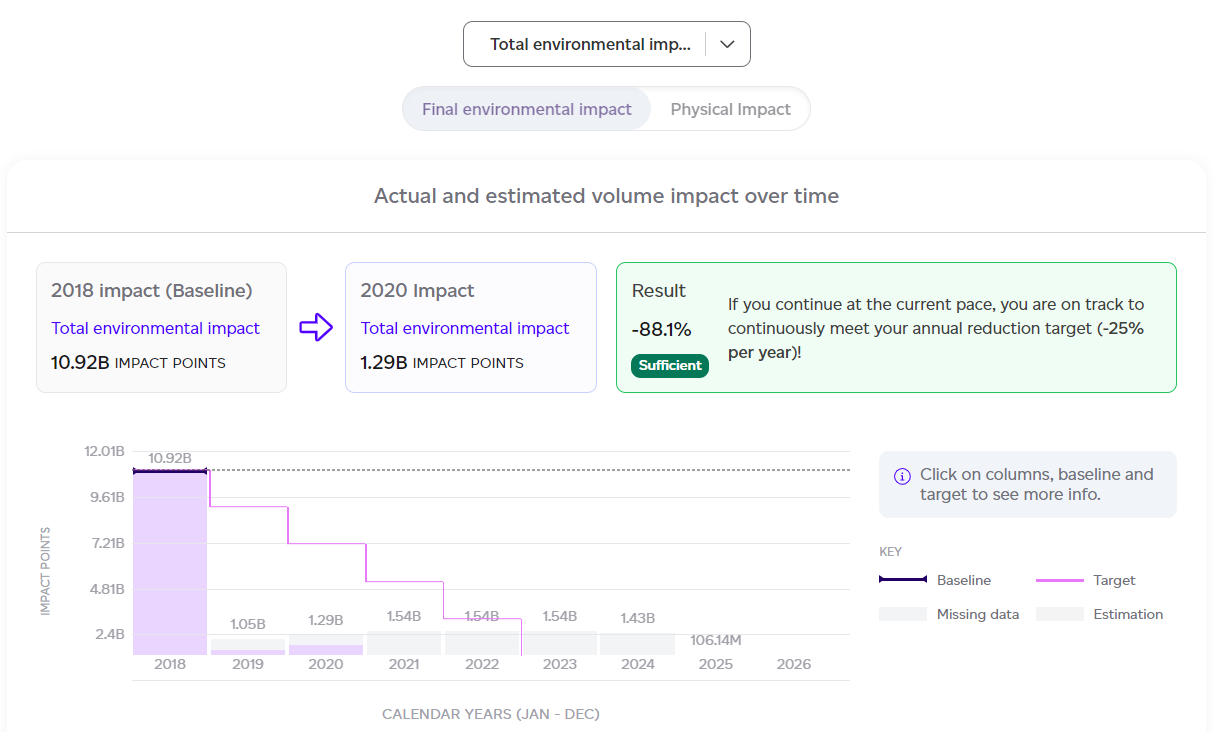
- Progress tracking: Baseline comparison, previous data points, targets, and likelihood of meeting goals.
- LCIA (Life Cycle Impact Assessment): Results split by product, category, life cycle stage, and process; exportable as CSV.
- Interpretation: Contextual examples clarifying results.
- Appendix: Includes detailed product breakdowns, impact category analysis, normalisation factors, and contextual example assumptions.