Open Performance > Historical reports in the left rail.
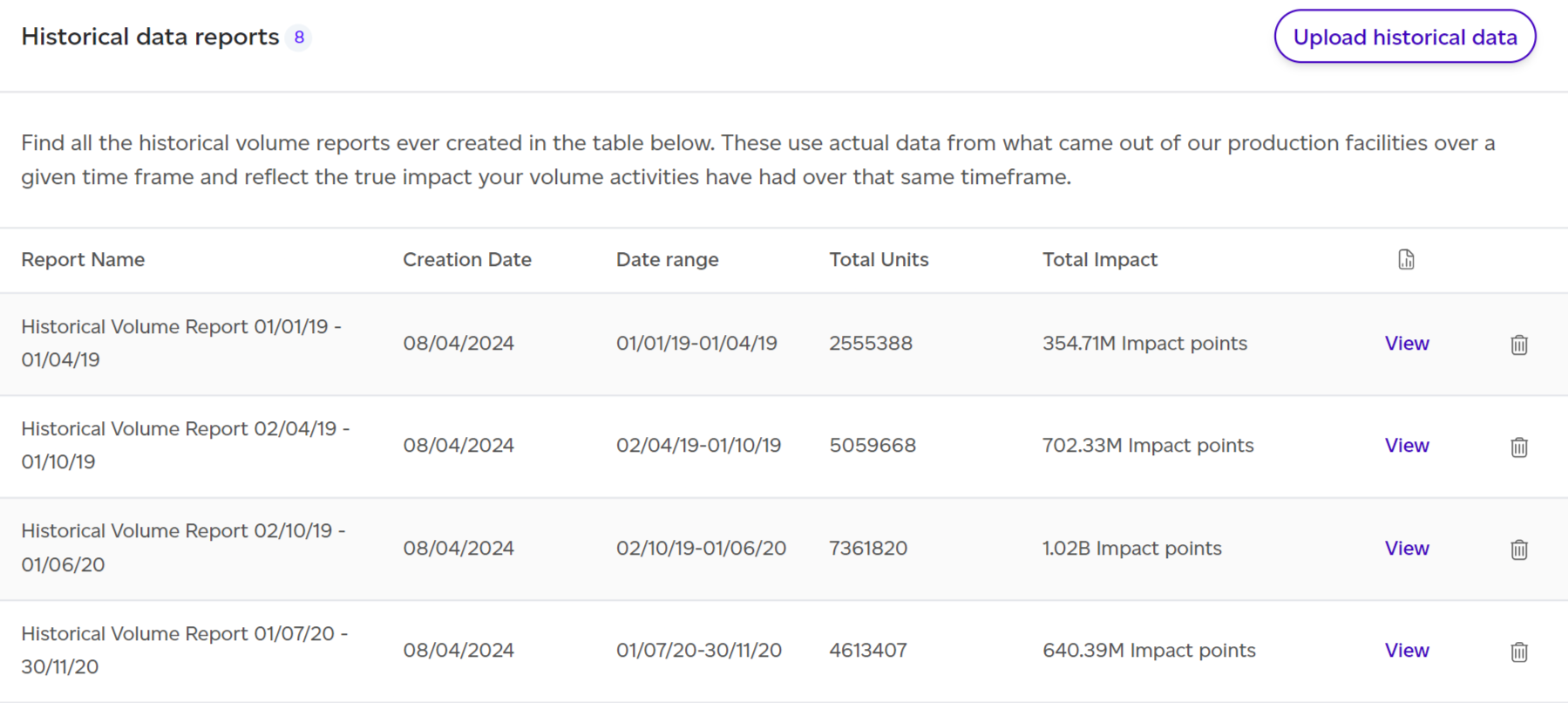
If you click on Historical Reports, you will be redirected to the list of all existing historical reports. If you already have some reports, you can view them by clicking on 'View' for the relevant report.
When opening a given report, by default the PEF Production lens will be selected, but you can choose GHG in the lens menu at the top right to view the historical report using GHG Protocol methodology. This section focuses on the latter.
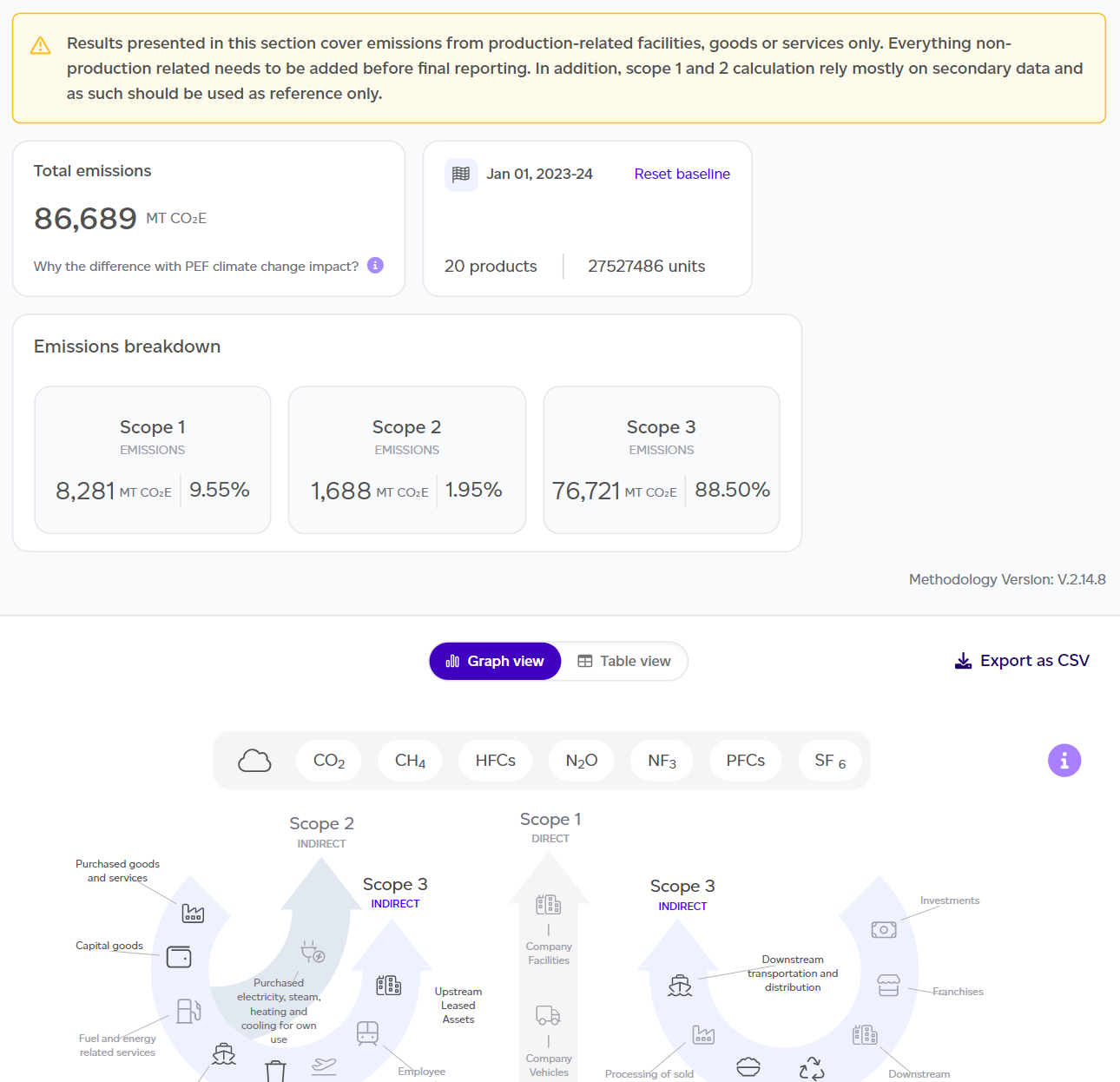
The dashboard will summarise the key takeaways of the report:

- Total emissions estimated (scope 1, 2 and 3).
- Summary of the number of units produced and the reference year.
- Scope 1 / 2 / 3 breakdown in kg CO2e and %.
- GHG Protocol graph showing the contribution across all scope categories.
- This can be changed to a table view where biogenic emissions are reported separately, detailed explanations of what is in vs out of scope are presented, and optional reporting categories such as individual emissions are included.
- Data on this table can be exported as a CSV file for further analysis. Simply click on the 'Export as csv' button in the right hand corner of the table.
It is important to remember that this report covers product-related emissions only and is not intended as a full scope 1, 2 and 3 assessment. Scope 1 and 2 calculations rely mostly on secondary data and as such should be used as reference only.
From this overview dashboard, you can click on 'See full report' to get to the detailed GHG Historical report.
This report follows the same structure as the GHG Protocol Baseline Report, including the Results sections for market- and location-based Scope 2, the land sector (FLAG), the Land Sector and Removals Standard, WRAP Table 8 data quality, and Disclosure exports, where Download climate pack (XLSX) produces the climate disclosure pack for this report's period. See How to understand the GHG Protocol baseline report for what each section shows.
Downloading a PDF
Download PDF at the top of each view saves it as a PDF: the PEF and GHG overviews, and the Risk and Data quality views. A cover page names the report, the view and the workspace, and on the overviews the period. All sections are opened out in the PDF. If your company has a logo, choose With [company]'s logo or Sustained only when you download. See How do I download a volume report as a PDF?