To access the GHG Protocol Baseline Report, open Performance > Baseline in the left rail to reach the Baseline Overview. If your workspace already has an established baseline, you'll be directed to your baseline footprint report containing both a dashboard and comprehensive report.
By default, the system displays the PEF Production report. Choose GHG in the lens menu at the top right to examine GHG Protocol baseline emissions.
Dashboard Overview

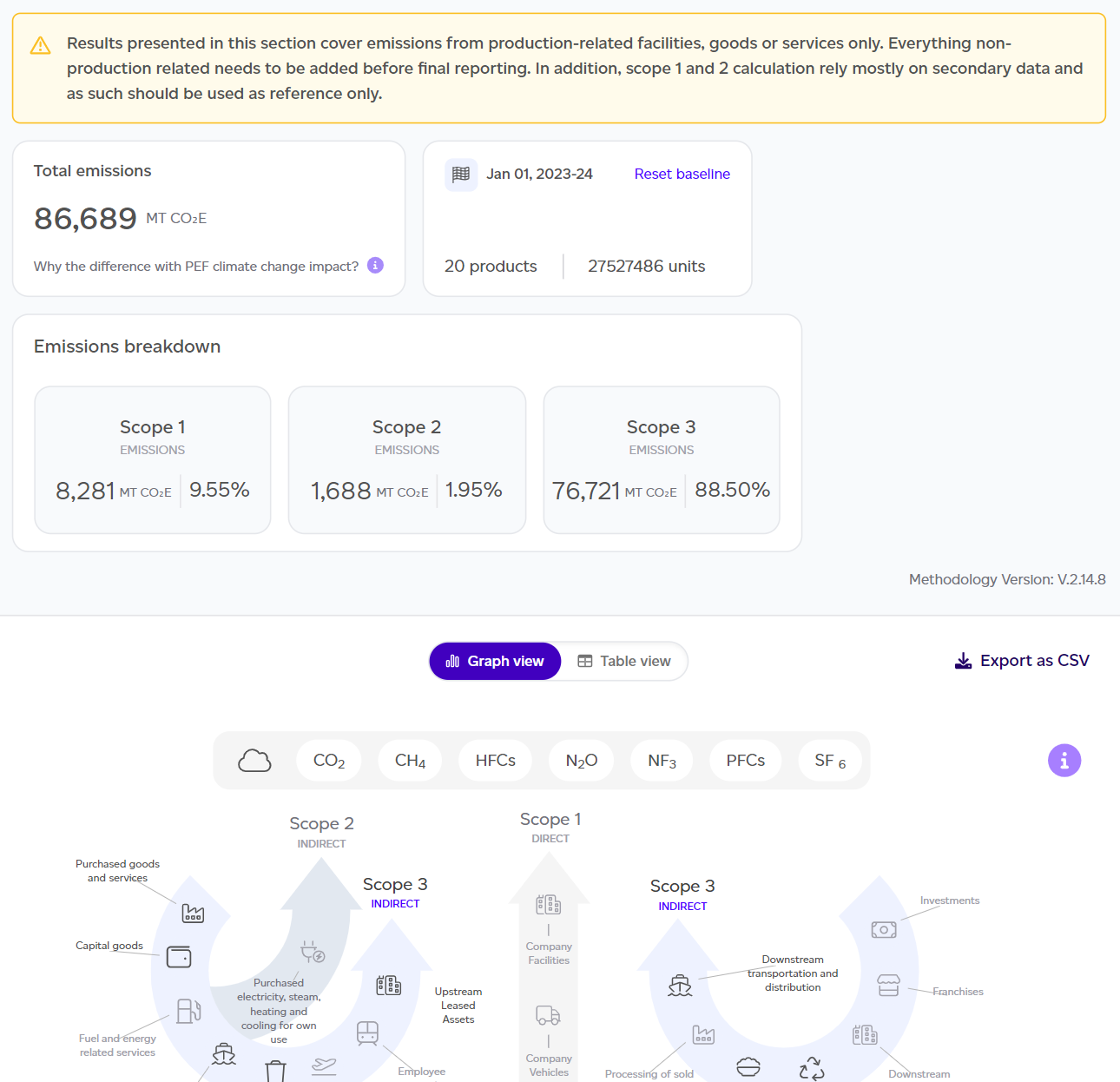
The dashboard provides key insights including:
- Total emissions across Scope 1, 2, and 3.
- Number of units produced and reference year.
- Scope 1/2/3 breakdown in kg CO2e and percentages.
- GHG Protocol graph showing scope category contributions.
You can toggle to table view to see biogenic emissions separately, detailed scope explanations, and optional reporting categories like individual emissions. Where the baseline's products use co-products or residues, the optional reporting includes Circularity - co-products and residues after Avoided emissions - Scope 3 only, in MT CO2e: the emissions they avoid compared with the conventional ingredients they replace, not part of the total. Each co-product is counted once, as in the PEF lens. Export data as CSV for further analysis using the export button in the top-right corner.
Important note: This report addresses product-related emissions only and is not intended as a full Scope 1, 2, and 3 assessment. Scope 1 and 2 calculations rely primarily on secondary data for reference purposes.
Downloading a PDF
Download PDF at the top of each view saves it as a PDF: the PEF and GHG overviews, and the Risk and Data quality views. A cover page names the report, the view and the workspace, and on the overviews the period. All sections are opened out in the PDF. If your company has a logo, choose With [company]'s logo or Sustained only when you download. See How do I download a volume report as a PDF?
Full Report Access
Click 'See Full Report' to access the detailed GHG Baseline report, which mirrors the PEF Production Baseline Report structure (Summary, Volumes, Goal & Scope, Results, Appendix) with a Results tab instead of LCIA, plus appendices covering Global Warming Potential Factors and Organisational Boundaries Assumptions.
The Results tab
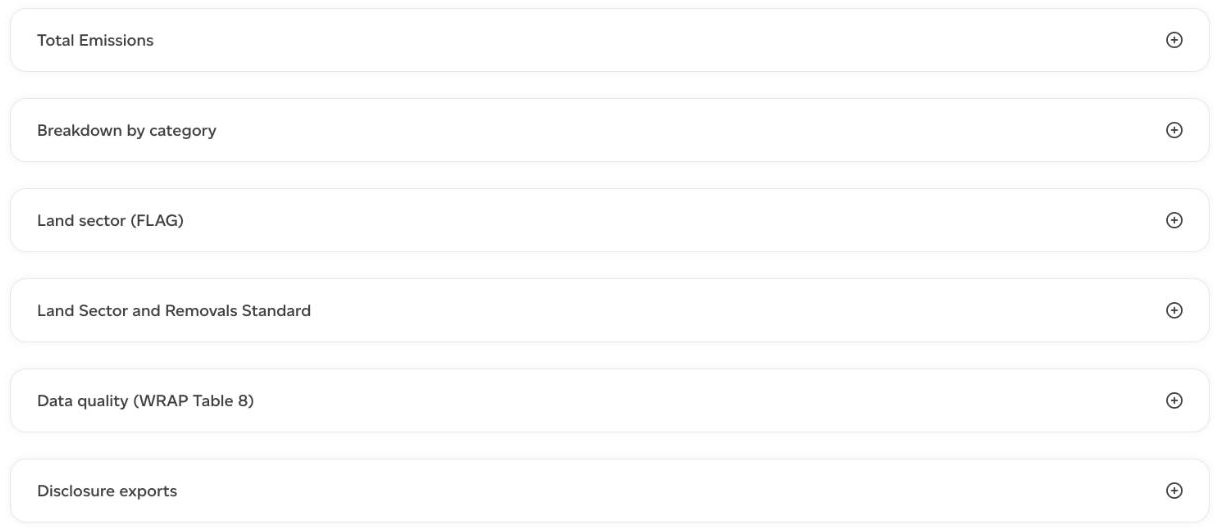
The Results tab is a set of sections you open one at a time:
- Total Emissions: Scope 1, 2 and 3 for the whole baseline. Scope 2 is market-based, from the emissions factor of the electricity supply chosen on each production step or set for its site, with the location-based figure, from each facility country's grid mix, written beneath it.
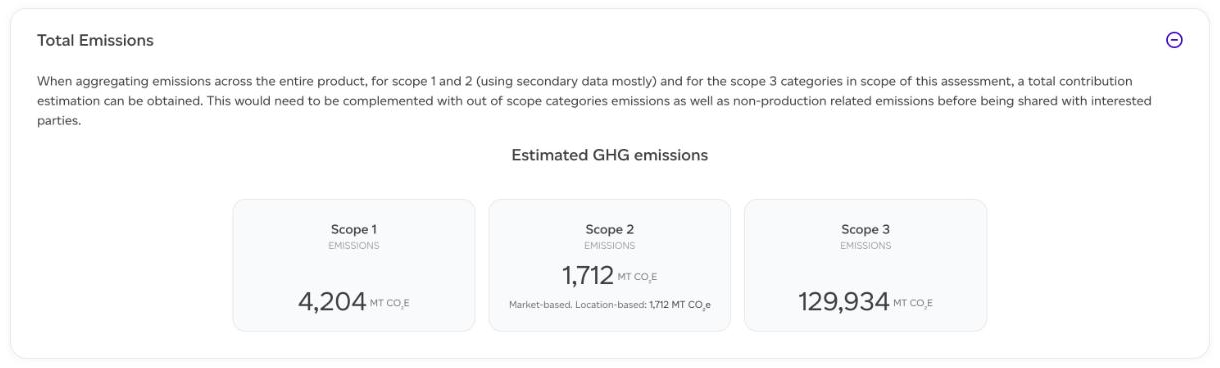
- Breakdown by category: the Scope 3 categories in scope of the assessment.
- Land sector (FLAG): land use change and land management emissions per the SBTi FLAG guidance, by region and commodity, with a CSV export.
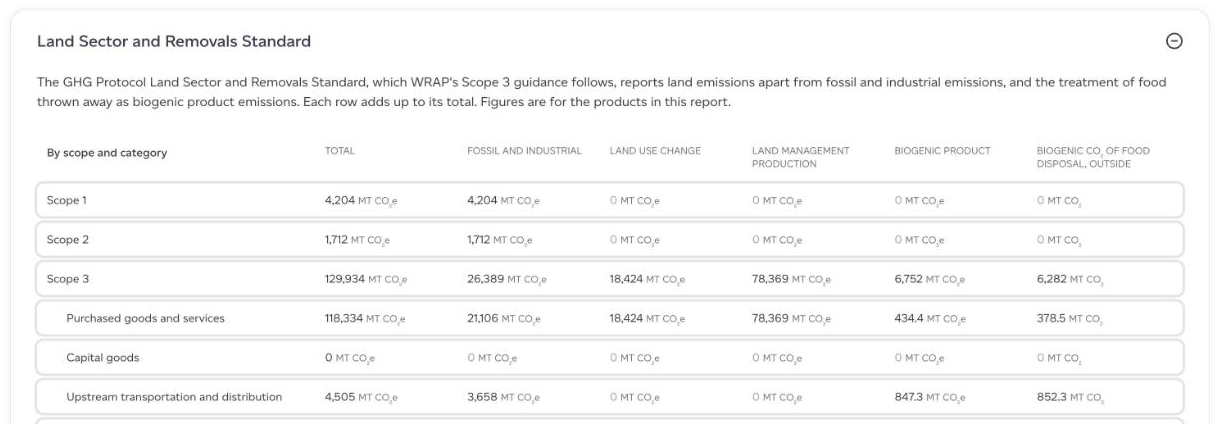
- Land Sector and Removals Standard: each scope and category split into fossil and industrial, land use change, land management production and biogenic product emissions, with the biogenic CO₂ of food disposal reported outside the total. Further down, the spatial boundary each raw material is accounted at (country, global or your own lands) and the raw materials by origin. Removals are not assessed.
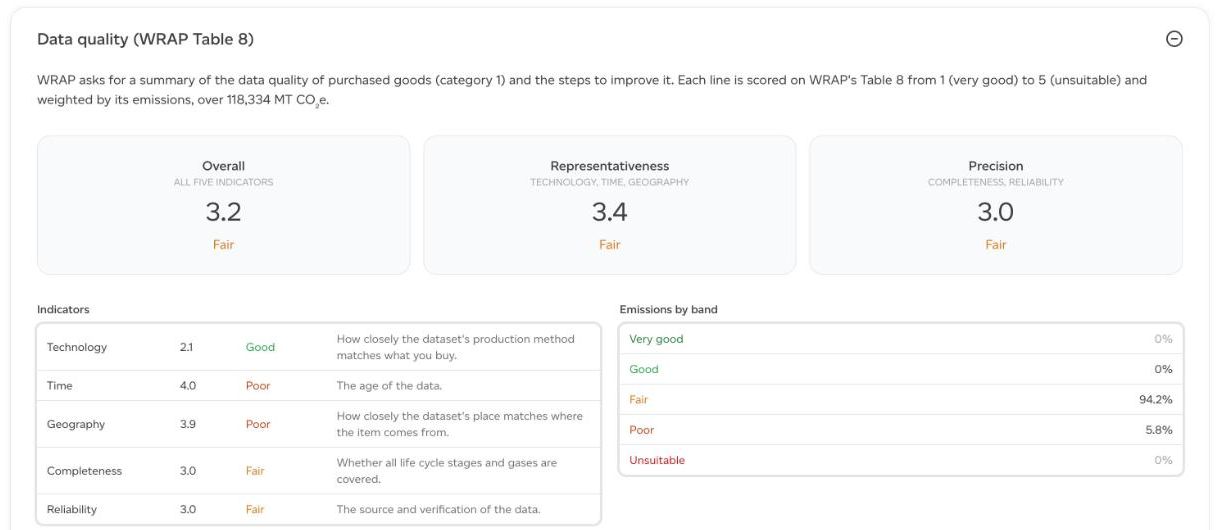
- Data quality (WRAP Table 8): the data quality of purchased goods (category 1), scored on WRAP's five indicators from 1 (very good) to 5 (unsuitable) and weighted by emissions: an overall score, representativeness and precision, the share of emissions in each band, and the largest lines with a step to improve each.
- Disclosure exports: Download climate pack (XLSX) produces the climate disclosure pack for this baseline. See How do I download a climate disclosure pack?
