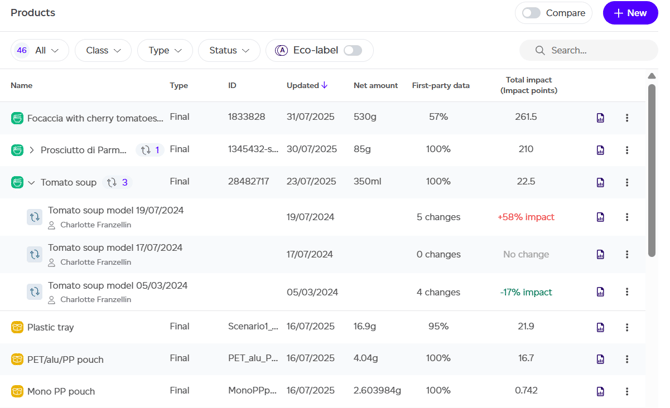
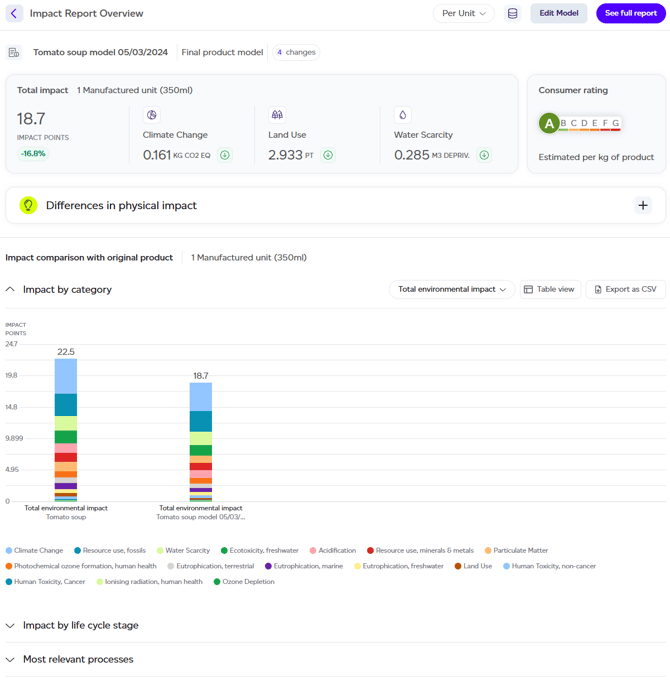
To access a Change Modelling Report, expand the product row and click the report icon for your desired model. This directs you to a dashboard summarising key findings from the modelling analysis.
The report overview includes several sections:
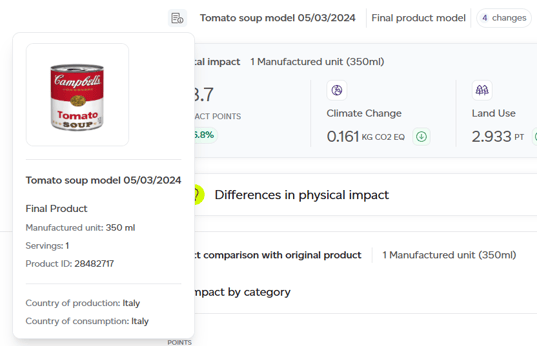
- Original Product Details: Reveals information about the initial product, including name, production country, consumption data, net amount, servings, and product image when available.
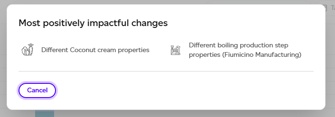
- Summary of Changes: Presents the most impactful modifications made in the model.
- Impact Change Overview: Shows the modelled product's total environmental impact alongside three key categories, climate change, land use, and water scarcity, indicating increases or decreases versus the original.
- Consumer Rating: Displays the modelled product's rating (A–G), with the original rating visible on hover.
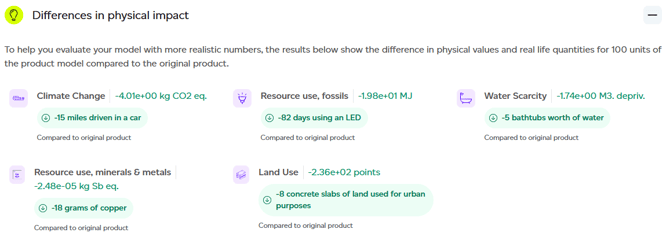
- Differences in physical impact: Expandable section showing the delta between original and modelled products in physical impact terms.
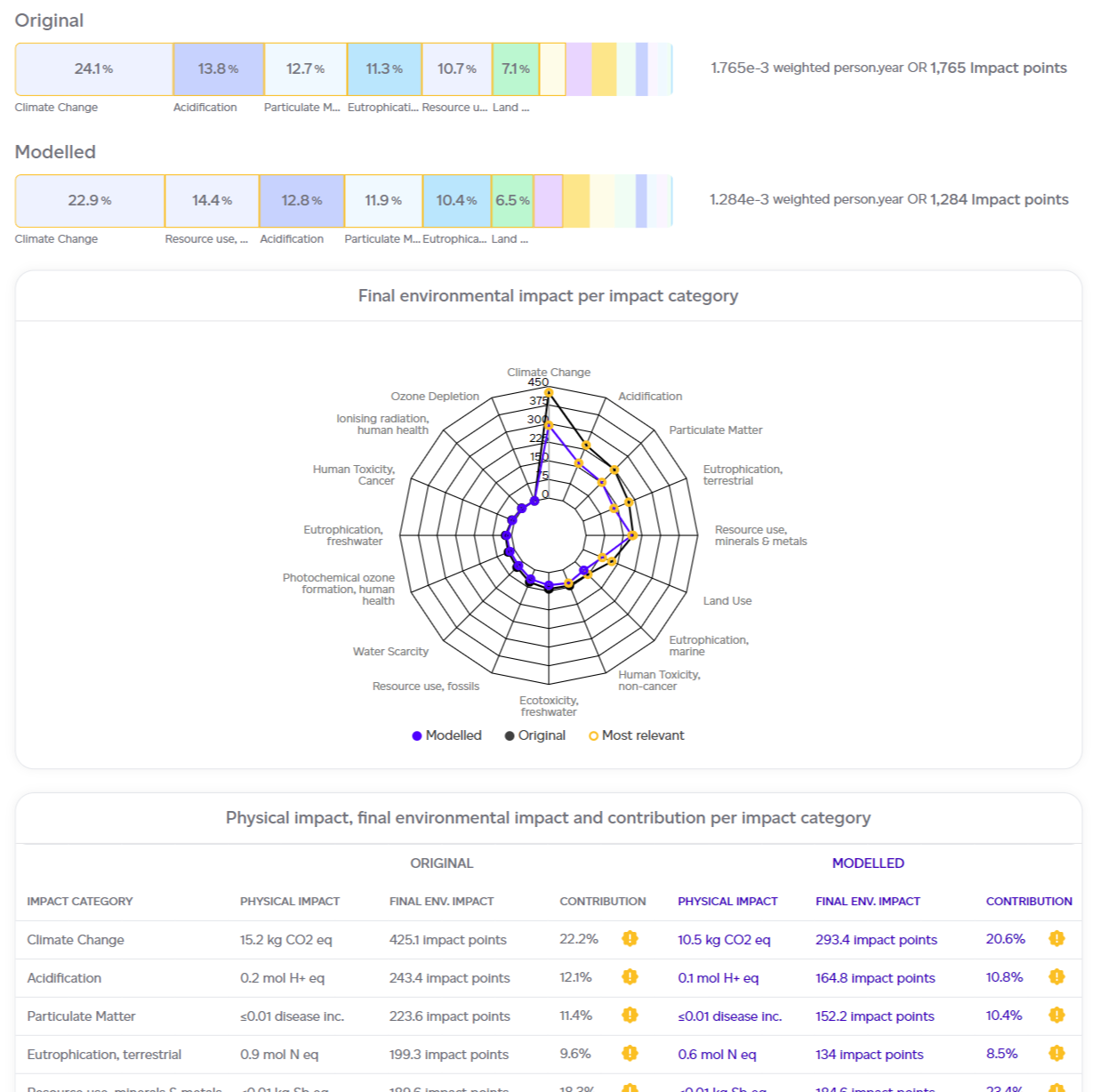
- Impact Analysis Results Summary: Comparisons organised by Impact Category, Life Cycle Stage, and Relevant Processes (original versus modelled).
Available Actions
From this page, you can:
- Change the lens: Switch from 'per unit of product' to per kilogram/litre or per serving for automatic rescaling.
- View datasets used: Access a list of all datasets used in impact calculations.
- Edit Model: Opens the modelling interface.
- See Full Report: Provides deeper comparison between original and modelled products, with interactive Impact Change Results by category.
Risk on a model
With Climate & Nature risk on your plan, choose Risk in the lens menu to compare the original and modelled product's physical risk. The Nature and compliance, original vs modelled panel sets biodiversity, ocean acidification, EUDR deforestation and logistics side by side, each on its own bands and never part of the total score. A reading the model starts or stops touching (for example, by removing the only marine ingredient) shows one side only. See Climate and nature risk.