Open Registry > Inbox. Everything sent to you or by you through the Registry is here, sorted by who has to act:
- Needs you: answers to accept, requests to answer, offers and claims to decide. The count beside Inbox in the rail is this one.
- Waiting on them: requests you sent that the supplier has not answered yet.
- Done: settled requests, answers and claims, kept as the record.
Filter by Type (Answers, Requests, Claims, Offers) or by what an item is About, or search. Click an item to open it on the right: what was asked, what came back, and what you can do now.
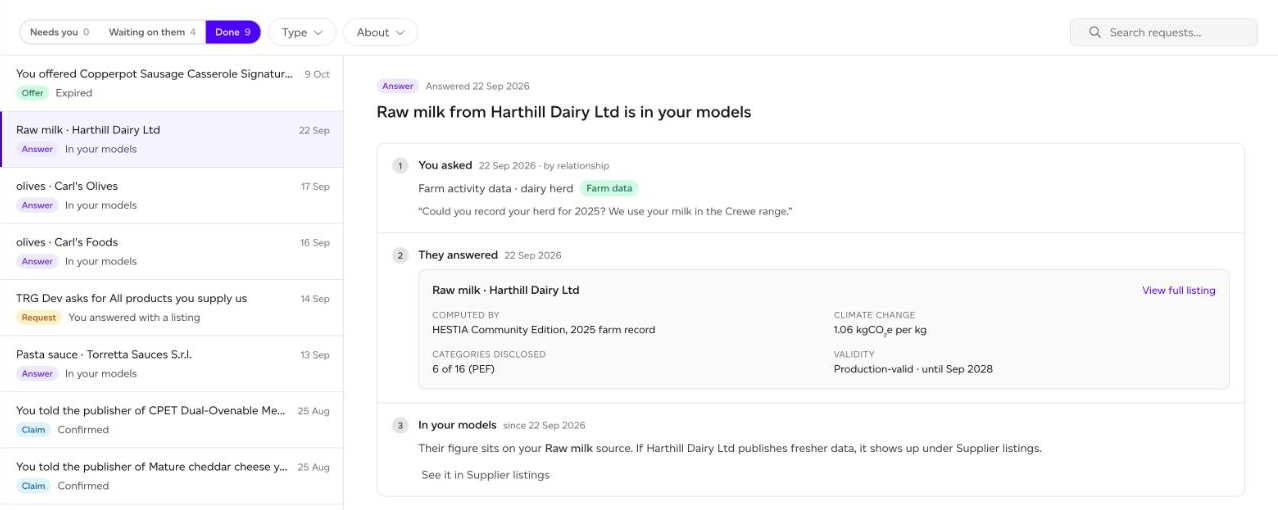
Accepting a supplier's answer
The answer shows the supplier's figures: who computed them, the climate change figure, how many of the 16 PEF categories are disclosed, and how long it is valid. View full listing shows everything. What accepting does depends on what was asked:
- An answer about one of your items: Accept this data puts their figure on the item you asked about.
- An ingredient: Accept this data puts their figure on your raw material source for that ingredient and recalculates every product that uses it, once you confirm it on the source.
- A product: Use as a purchased good adds it to your purchased goods, bound to their listing and ready to place in a recipe.
- A Registry-only category: Keep it holds it as a record you can read, download and see refreshed. It is not usable in models.
Nothing changes until you press the button. If you asked for evidence, an answer can only be accepted once a clean, malware-scanned file is attached.
Submissions through the form
A supplier who answered through the form (because they are not on Sustained) shows as Submitted through the form · review it. Nothing is visible to anyone until you accept it. Accept asks you to match their entry to an ingredient in our catalogue, or to a category, so it can be used, then Accept & publish. Reject withdraws their submission; you can give a reason for your own records.
Offers
A supplier can offer you their data before you ask. Accept puts their listings where you keep supplier data and connects you, so they can share more with you later. Decline shares nothing, and they are not told.
Claims and introductions
When you confirm a relationship or ask for an introduction from a listing, it is tracked here until the supplier answers. A confirmed relationship makes their listing production-valid for you; an accepted introduction shows their contact.
Redeem invite token, at the top of the page, establishes a sharing relationship from a token another Sustained customer gave you.
Requests addressed to you
If you sell to other Sustained customers, their requests arrive under Needs you too. See How do I answer a Registry data request?