A raw-material scenario answers "what if we sourced this differently?" across every product that uses a raw material. Try a change, such as another country of origin or a supplier's own footprint, and see what it would do to one of your volume reports. Nothing in your products changes.
Starting a scenario
From a report:
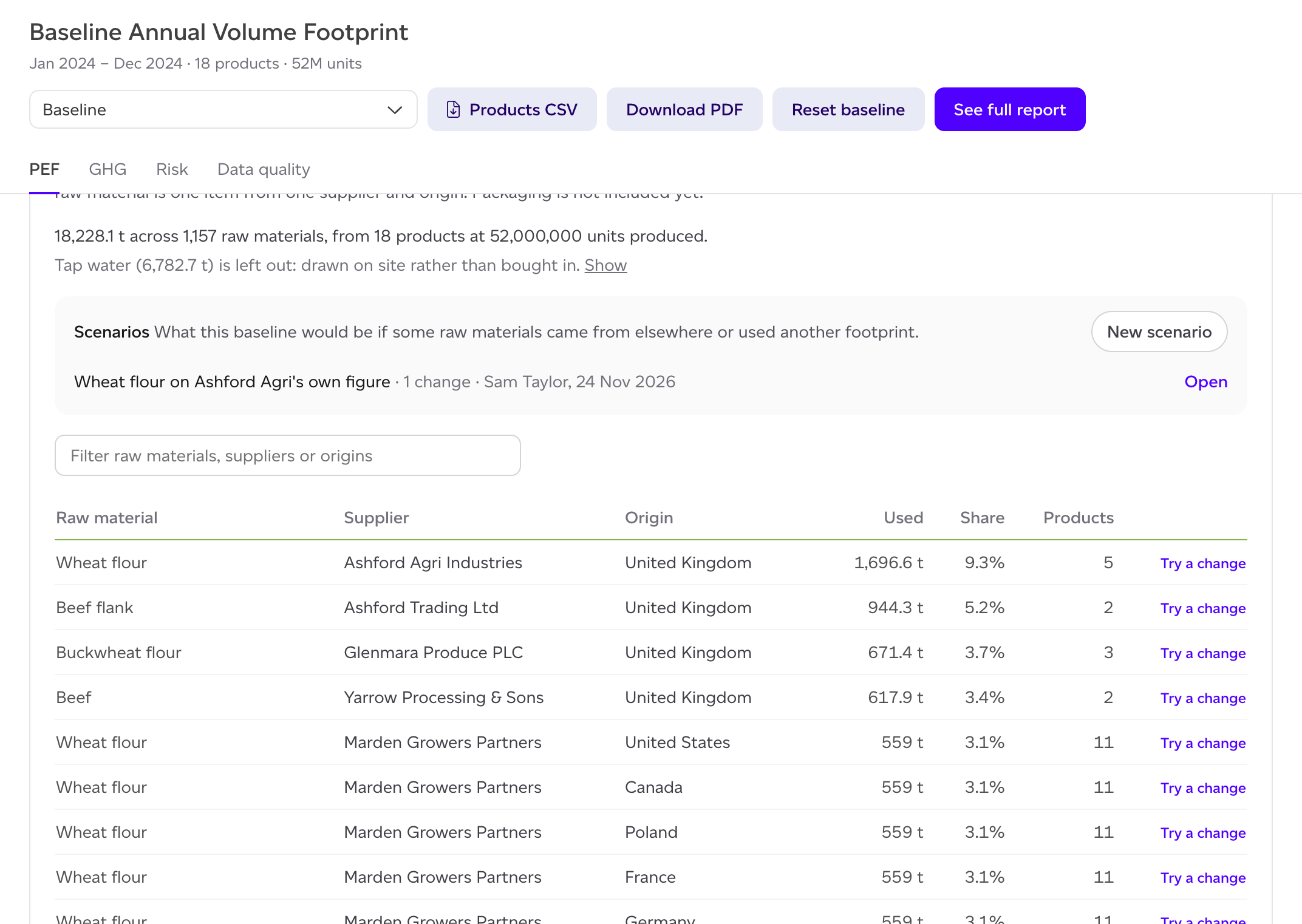
- Open your baseline, a historical report or a forecast, and find Raw materials used on its PEF tab.
- Click Try a change on a raw material's row, or New scenario to choose the raw material yourself.
From a raw material:
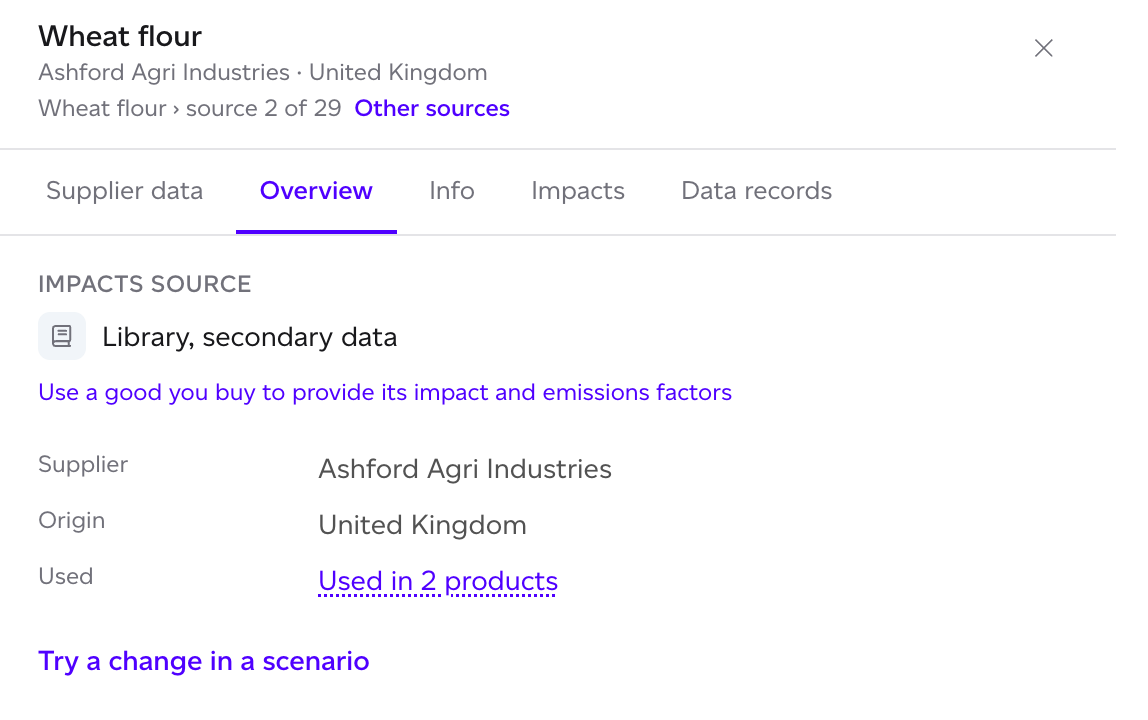
- Go to Supply chain > Raw materials and open the raw material.
- On its Overview tab, click Try a change in a scenario.
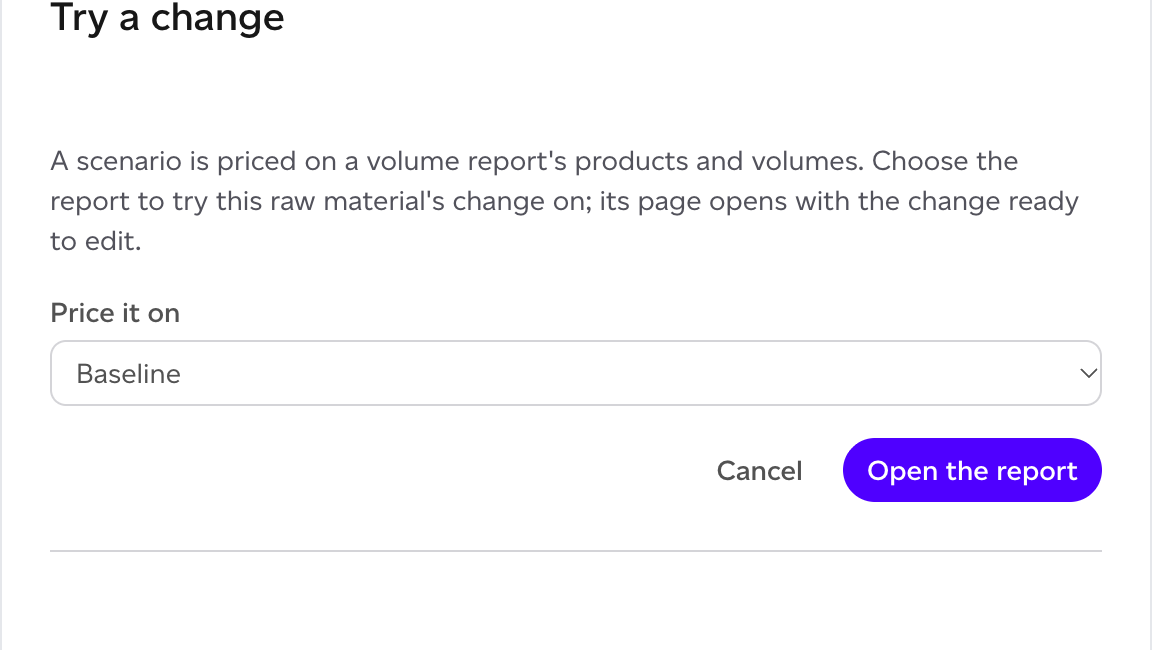
- Under Price it on, choose the report, and click Open the report. The report opens with the change ready to edit.
The Scenarios bar above the report's raw materials lists the scenarios saved on that report; Open opens one.
Making a change
Each change says:
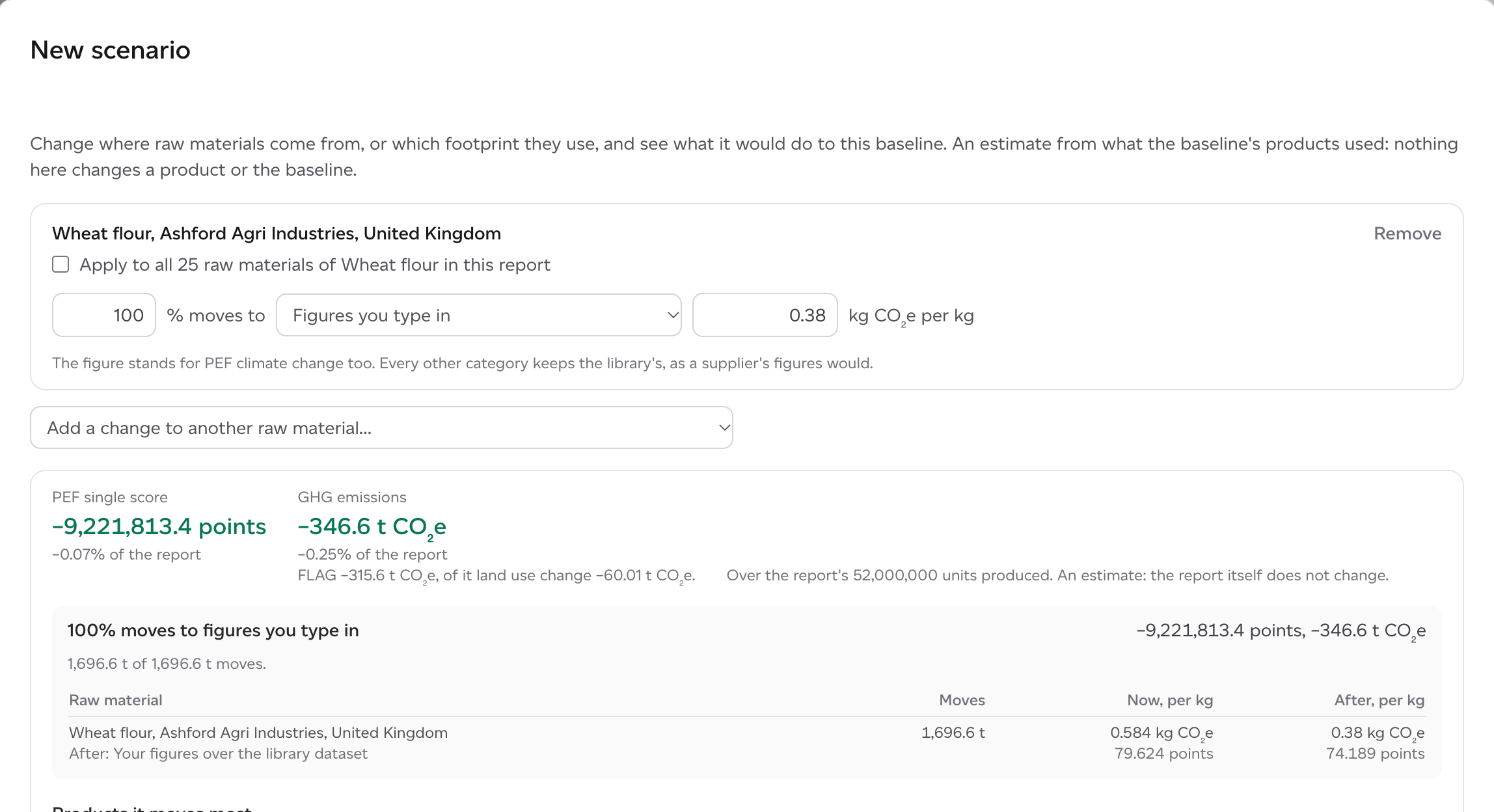
- The raw material. One raw material, or, with Apply to all ... raw materials of the item in this report, every one of that item, whatever its supplier or origin.
- What it moves to:
- Another country: the item's dataset for that country. Countries where you hold your own data for the item are listed first.
- Another of your raw materials, priced as it is today.
- A registry listing: a supplier's figures for the item, laid over the dataset as using them would, including a listing shared with you that you have not used yet.
- Figures you type in: a supplier's climate figure, in kg CO2e per kg. It stands for PEF climate change too; every other category keeps the library's, as a supplier's figures would.
- The library dataset, without supplier figures.
- Share that moves (%): all of it, or part, such as 30% moving to another country. The changes on one raw material cannot add up to more than 100%.
Add a change to another raw material adds another.
Reading the estimate
The estimate prices each change over the kilograms of the raw material the report's products used, through every sub-recipe, at the versions the report froze. It shows:
- The change in the PEF single score and, with the GHG add-on, in GHG emissions, each as a share of the report's total, such as "−0.3% of the report".
- For each change, the raw materials it moves, now and after, per kg: the five largest first, and Show all for the rest.
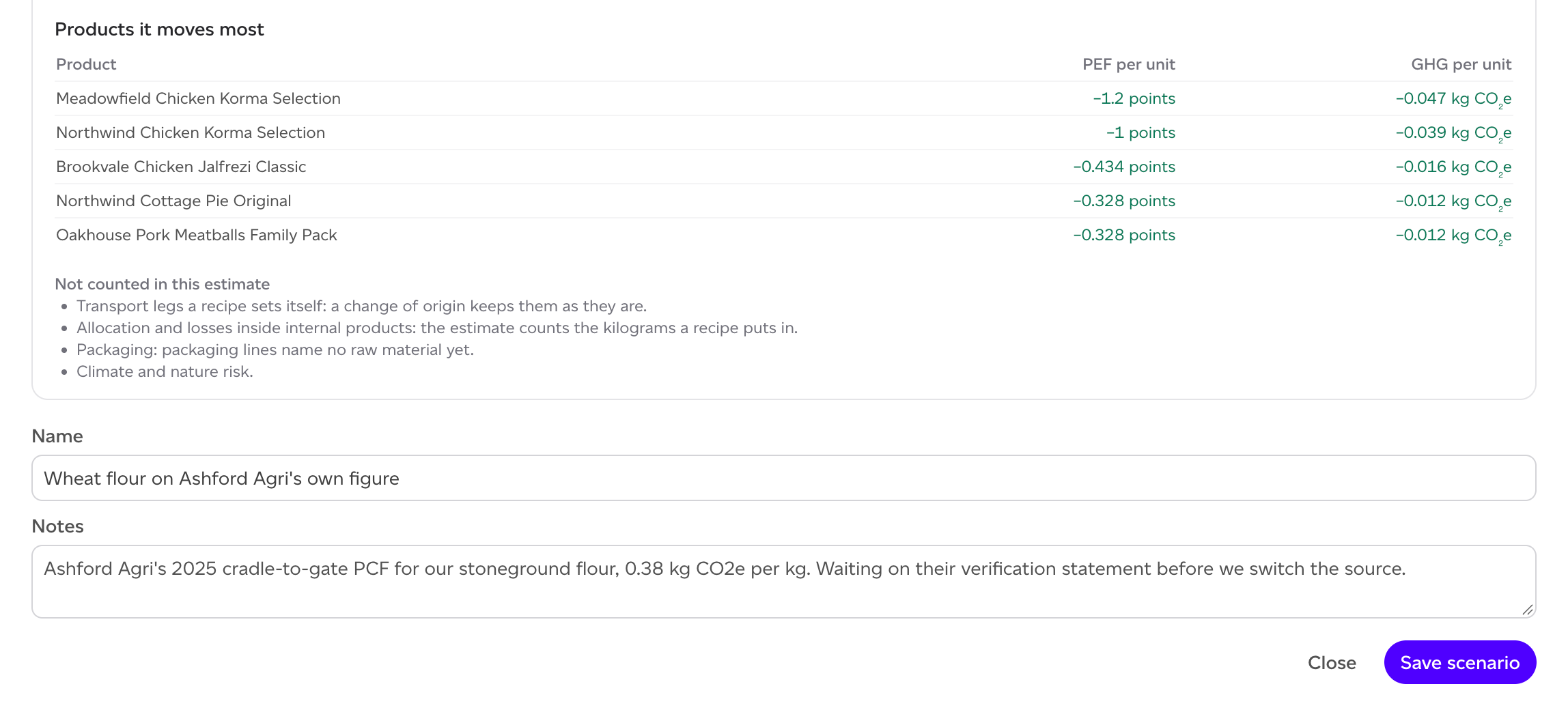
- Products it moves most, per unit.
- For a change of origin, the change in transport from the new country, along the routes your products already model. Where our library has the same dataset for the item from the new country, the estimate says so: only its transport changes. If the raw material uses its supplier's own figures today, a new origin goes without them, as they are for the supplier's product from where it comes now: the estimate says so, and the figure moves to the library's as well as its transport.
Not counted in this estimate lists what it leaves out: transport legs a recipe sets itself, allocation and losses inside internal products, packaging, and climate and nature risk.
Saving and copying
Click Save scenario to keep it, with a name and notes. Saved scenarios are seen by everyone in the workspace, and each one is worked out afresh when you open it, so it is never older than the report. Copy to another report tries the same changes on another baseline, historical report or forecast. Anyone who can create forecasts can create and save scenarios; an auditor with the Assurance role can open them.
A scenario changes nothing in your products. To make the change for real, switch the raw material's source: see How do I manage raw materials? To change the design of one product instead, use a change model.