An assurance sign-off records that your auditor or assurer assured a product's figures: the firm, the standard, the level of assurance and how long it holds. Sustained seals each sign-off with a platform signature, so anyone holding its reference can check it, and can see whether the product has changed since. The assurance itself is your provider's: Sustained records and seals the sign-off, it does not assure the figures.
Only an assurance user can sign off. It is the one change their read-only access allows.
Signing off a product
- Open the product's report, for example from Products > Sold products.
- Click Sign off in the report's header, beside View Product.
- Fill in Sign off this product:
- Assurance firm: the firm giving the assurance.
- Standard: type it, or pick ISO 14067, ISO 14064-3 or ISAE 3410.
- Level of assurance: Limited or Reasonable.
- Engagement reference (optional): your reference for this engagement.
- Assurance statement: what you assured, against what, and your conclusion.
- Valid until: the last day the sign-off is valid. It starts at a year from today and can be at most five years away.
- Click Sign off.

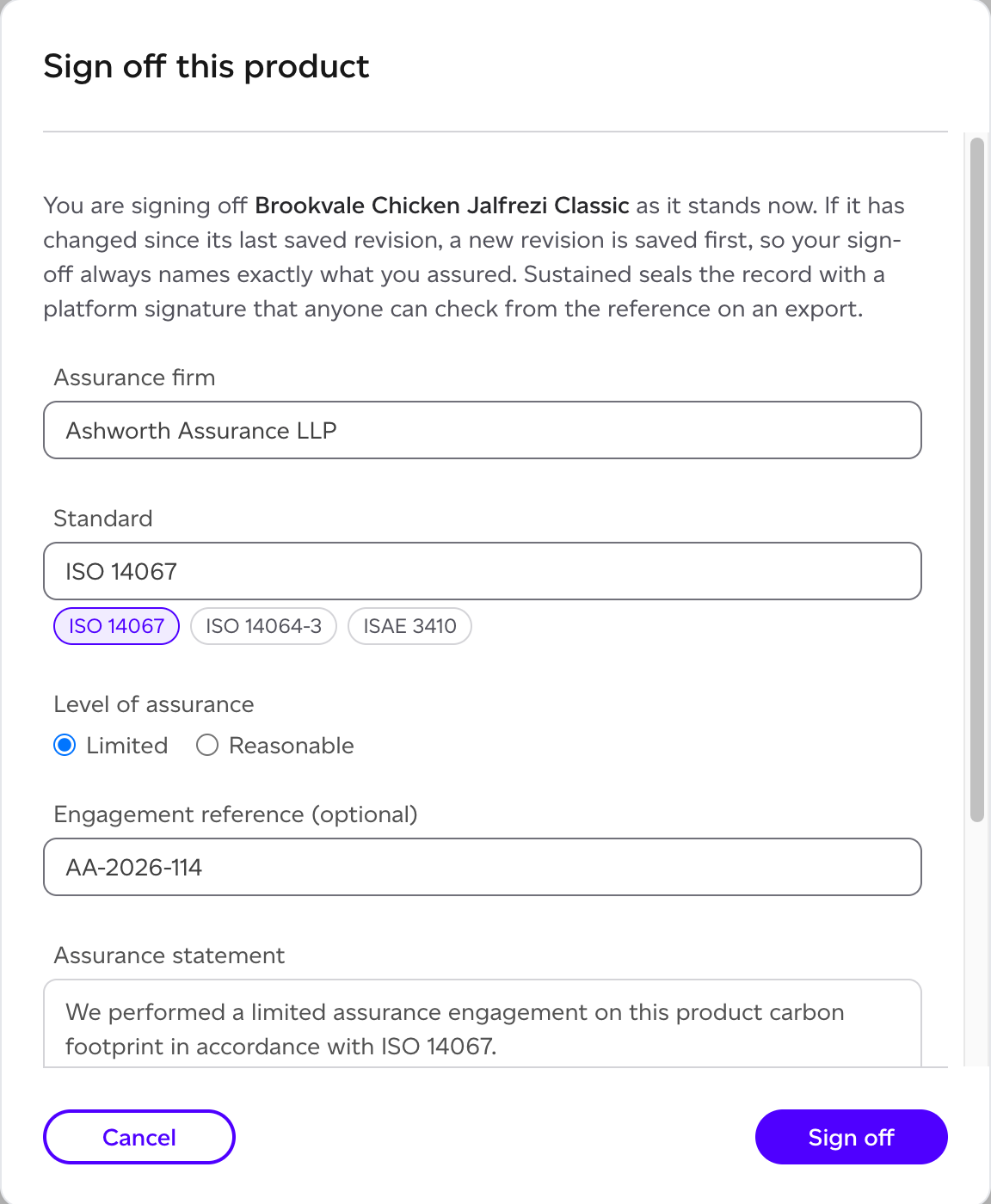
You sign off the product as it stands. If it has changed since its last saved revision, a new revision is saved first, so the sign-off names exactly what you assured. Only a complete product can be signed off, not a draft.
Where a sign-off stands
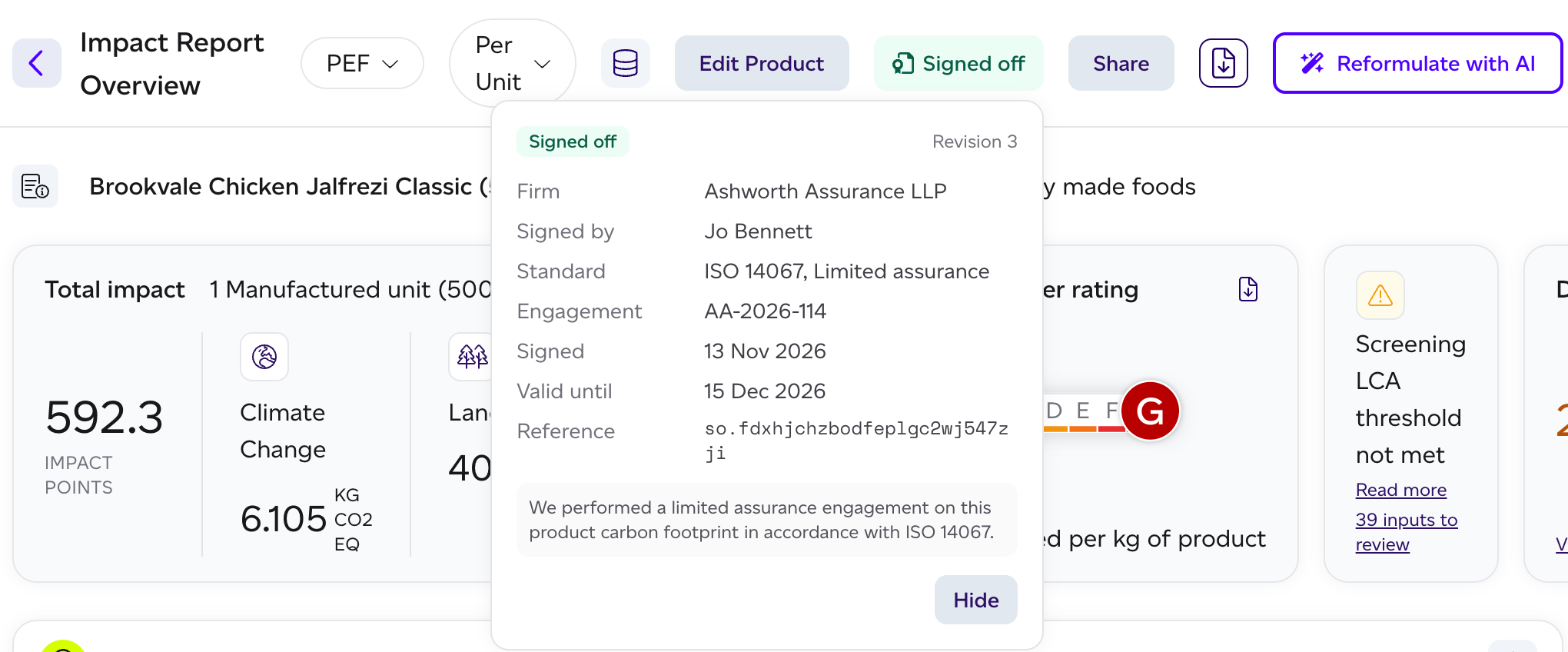
Everyone in your organisation sees the product's current sign-off as a pill in its report's header:
| Pill | What it means |
|---|---|
| Signed off | The sign-off is valid and the figures are the ones assured. |
| Changed since sign-off | Something the figures rest on has changed since. The signed record is unchanged, and exports say which version was assured. |
| Sign-off expired | Its valid-until date has passed. |
| Sign-off revoked | The auditor who signed it revoked it. |
| Sign-off superseded | A later sign-off replaced it. |
What the figures rest on is the product and every product it uses, each raw material's data and the evidence behind it, the methodology and dataset versions, and the figures themselves. The check compares content, so an edit that is undone reads Signed off again, and confirming that data is current is not a change.
Click the pill for the details: the firm, who signed it, the standard and level, the engagement, when it was signed and until when it is valid, its Reference, the statement and the revision it names. When a newer methodology is available, the details say so: the sign-off stays valid for the versions it was signed with.
Revoking or hiding a sign-off
- Revoke, for the auditor who signed it: click the pill, then Revoke, and say Why. The record stays, marked revoked, and its verify page says so. Exports stop carrying it. A revoke cannot be undone: to assure the product again, sign it off again.
- Hide, for Global Admins: click the pill, then Hide. The sign-off comes off the report page and off exports. Nothing is deleted: the record, its status and its verify page stay, and only the signing auditor can revoke it. Global Admins still see it, marked Sign-off hidden.
Every sign-off, revoke and hide is recorded in the activity log, and nothing deletes a sign-off.
On the summary PDF
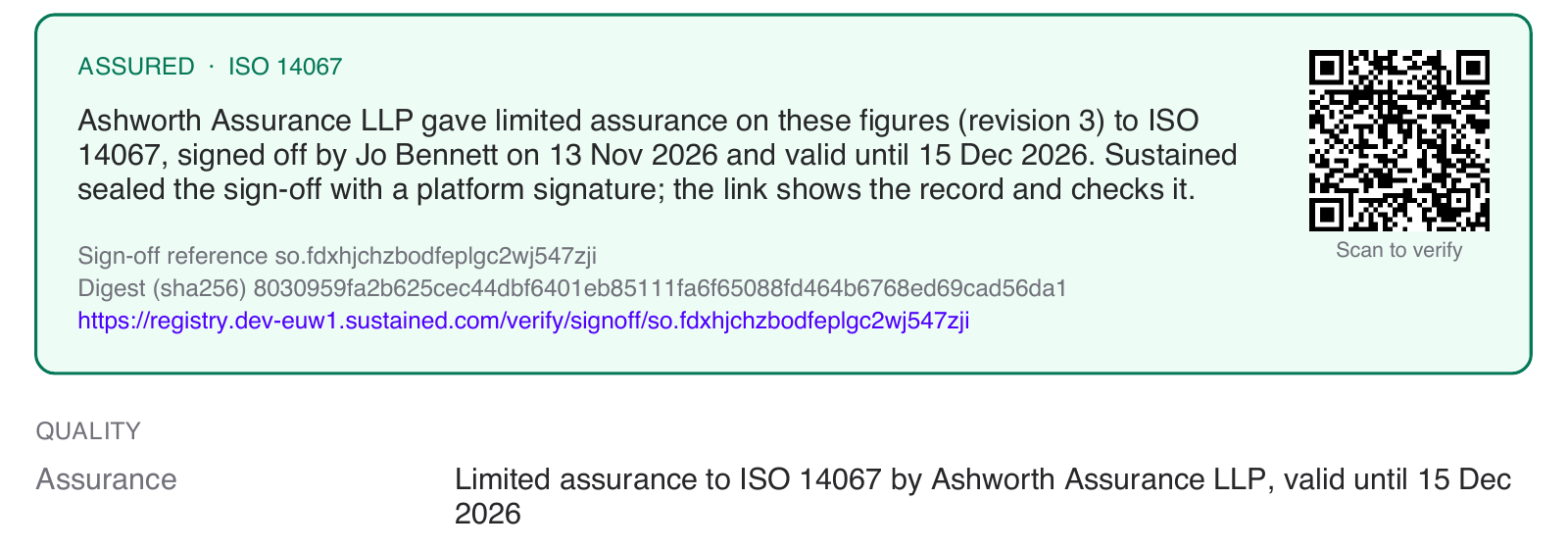
The product's summary PDF carries the sign-off on its statement page, with its reference, its digest and a QR code for its verify page, and says plainly when the figures are no longer the assured ones. See How do I export one page summary reports.
Checking a sign-off
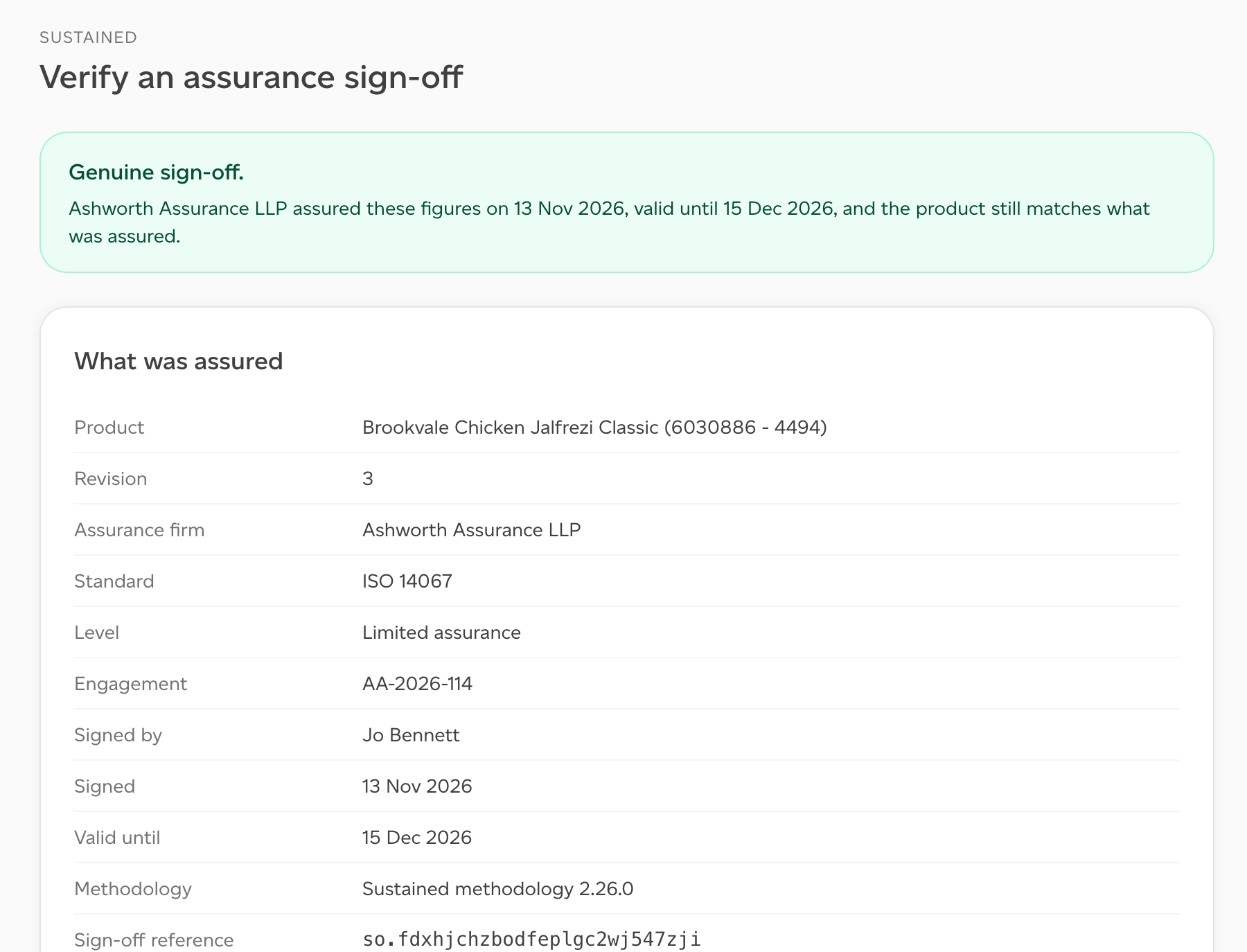
Anyone holding a sign-off's reference can check it, with no account. Scan the QR code on the summary, or open its link, to reach Verify an assurance sign-off on registry.sustained.com. The page says which of these it is:
- Genuine sign-off.
- Genuine sign-off; the product has changed since.
- Genuine sign-off, now expired.
- Genuine sign-off, since replaced by a later one.
- This sign-off was revoked.
- No sign-off with this reference. A sign-off not found there was not recorded by Sustained, or the reference was mistyped.
What was assured lists the assurance firm, the engagement, who signed it, the date it is valid until, the methodology, the sign-off reference, the statement and the figures assured. Check the signature yourself gives the digest, the algorithm and the signature, with a link to the published keys, so a reader can check the signature without asking Sustained.
In PACT
A footprint published to PACT while the product's sign-off is valid carries it as PACT verification, naming your assurance firm as the provider. See Connecting a PACT client.