Publishing puts a modelled product's per-kg footprint on the Registry as a listing, for the customers you choose. The figures are computed from your model; you only declare what the listing is about and who may see it.
Publishing needs a plan that includes it (Footprinting and above) and the Global Admin, Global Super User or LCA Expert role. Only sold goods can be published, not drafts or products in development.
Open Registry > Publish.
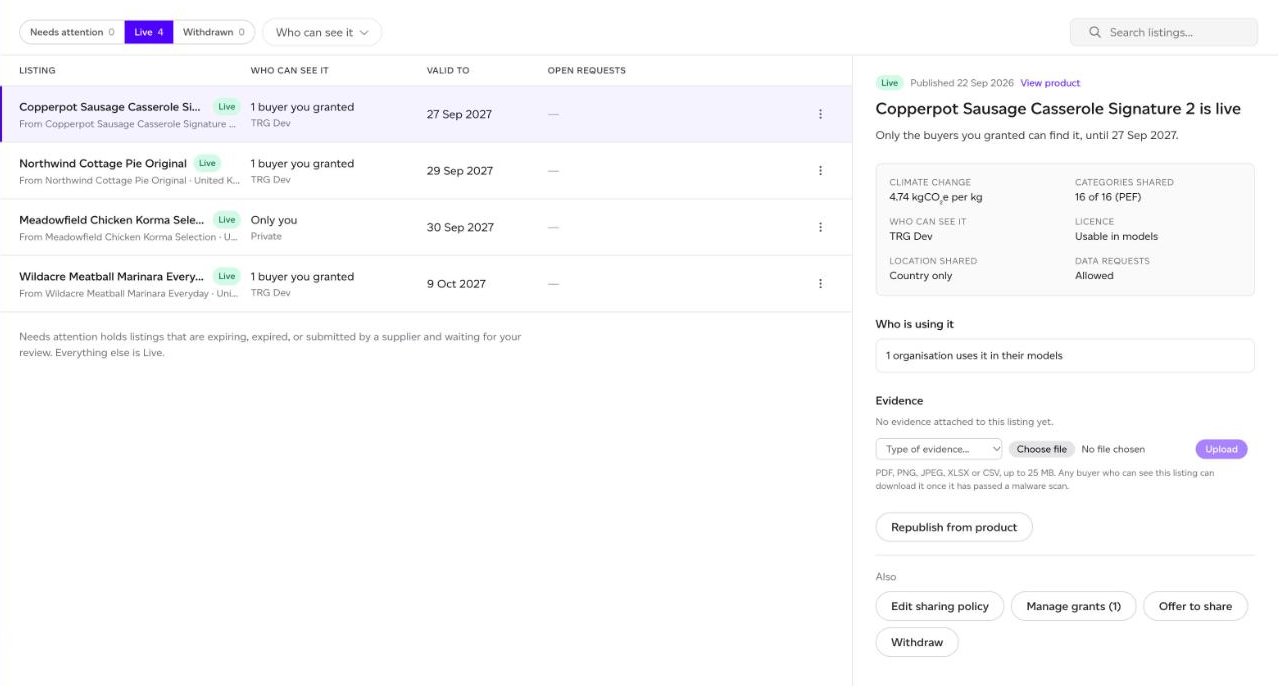
Listings are sorted into Needs attention (expiring, expired, or a supplier submission waiting for your review), Live and Withdrawn, and can be filtered by Who can see it. Click one to see its figures, who can see it, its licence, how many organisations use it in their models (a count only, never named), its evidence, and what you can do with it.
Set your sharing defaults first
Sharing defaults sets the policy every new listing starts with, so each one starts at the visibility you meant.
Publishing a product
Click Publish from workspace, or Publish to Registry from a product's menu or report.
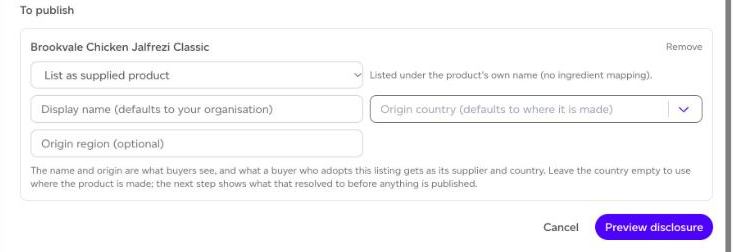
- Search your products and click Add beside each one to publish.
- For each, choose List as supplied product (under the product's own name) or List as ingredient (mapped to a generic ingredient, which you pick).
- Optionally set the Display name (your organisation by default), the Origin country (where the product is made by default) and an Origin region. These are what buyers see, and what a buyer who takes the listing gets as its supplier and country.
- Click Preview disclosure. This shows what a buyer will see, and whether each listing is eligible. Nothing has been published yet.
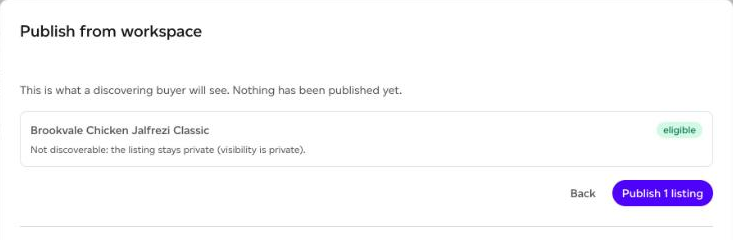
- Click Publish. Republishing the same product later updates its listing in place.
Who can see it
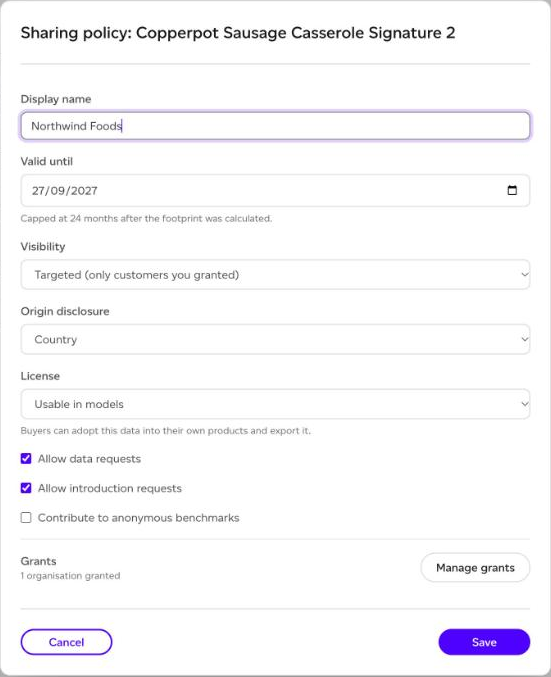
Edit sharing policy on a listing sets:
- Visibility: Private (hidden from discovery), Targeted (only customers you granted) or Discoverable (any Registry buyer).
- Origin disclosure: Country or Exact location.
- License: Usable in models (buyers can adopt and export it), View only (buyers can see it but not adopt or export it) or Negotiable (adoptable, with terms yours to raise).
- Whether to Allow data requests, Allow introduction requests and Contribute to anonymous benchmarks.
- Valid until, capped at 24 months after the footprint was calculated.
Manage grants makes a targeted listing visible to a specific organisation you already work with on Sustained. Grants disclose nothing while a listing is private: set it to Targeted for them to take effect.
Offering your data
To share with an organisation you do not work with on Sustained yet, use Offer to share (on a listing, or Offer to share your data in the Inbox). Enter their email address or Organisation ID, tick the listings, add a message if you like, and Send offer. When they accept, they can see and use what you offered, and you are connected so you can grant them more later. A private listing becomes targeted when they accept: visible to them, and still to nobody else. Someone not on Sustained yet is emailed an invitation to sign up.
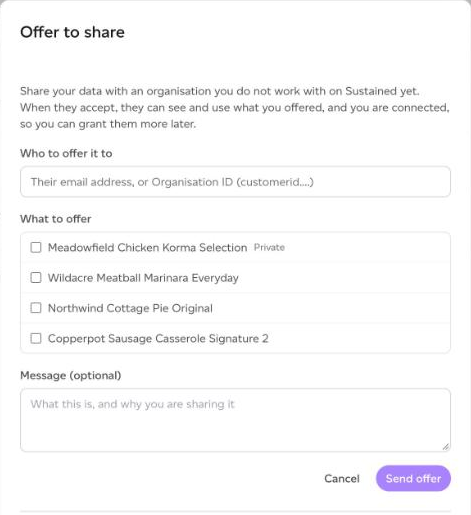
Offers are tracked in the Inbox until they are accepted or expire.
Evidence
Under Evidence, attach the documents behind a listing: an LCA report, a PCF certificate, a verification statement or other. Files can be PDF, PNG, JPEG, XLSX or CSV, up to 25 MB each and 20 per listing. Each is scanned for malware before a buyer can download it. Evidence supports your figure; it is not a verification by Sustained.
Keeping a listing in date
A listing is Expiring in its last 60 days, and Expired listings drop out of discovery. Extend validity keeps the same figure live for up to another year, within 24 months of the footprint's calculation. Republish from product recalculates it from the product and refreshes it in place.
Withdraw takes a listing out of discovery immediately. Organisations that already took it keep their snapshot and see it as unavailable.