Open Supply chain > Locations & facilities in the left rail. Here, you can view the list of all Locations & Facilities across your entire company account, not just within the active workspace. If no locations have been created yet, the list will be empty.
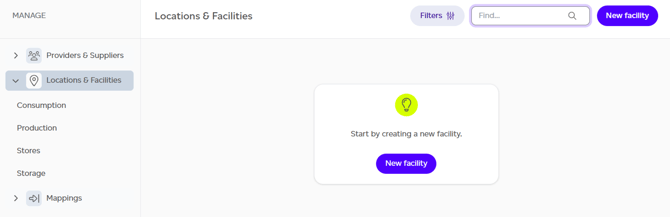
Several actions are available in this section:
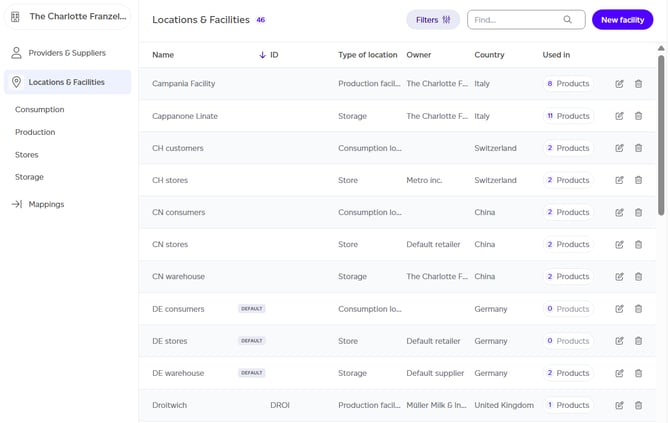
- To create a new location, click the 'New facility' button.
- If at least one location has been created, you can also:
- Search for a specific location by name.
- Filter by location type (using the left menu), owner, or country (via the filters menu).
- Sort by different fields in the table.
- Edit a location's details.
- Filter by location type using the chips above the list (Production, Storage, Stores, Consumption).
- Navigate to other sections of Supply chain using the left rail.
Creating a New Location
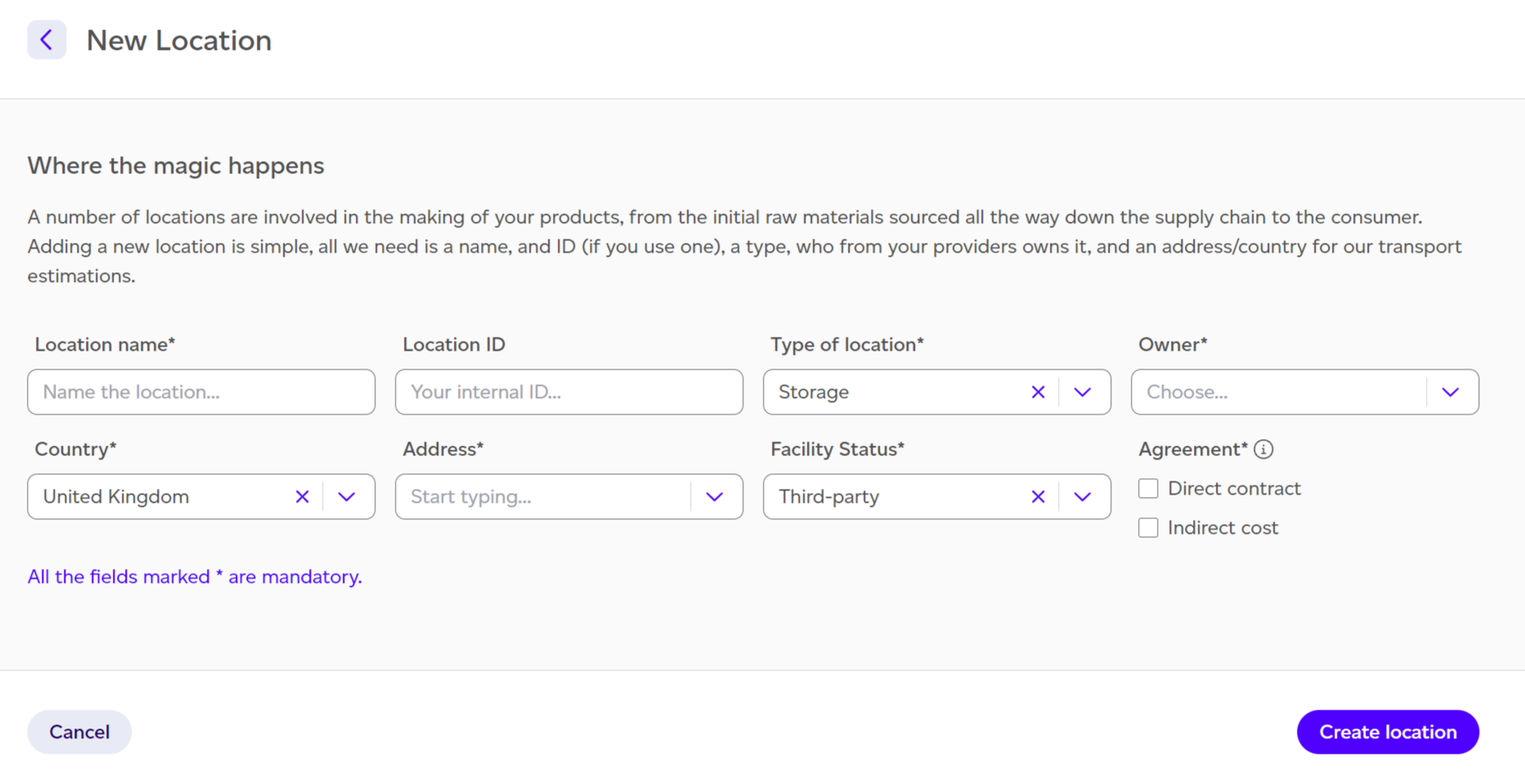
When you choose to create a new location record, you'll be prompted to provide the following information:
- Location name.
- Location ID (optional).
- Type of location: Whether it's a production facility, a warehouse, a store, or a consumption location.
- Owner (if applicable): Who owns this facility from your suppliers list.
- Country: The country where the location is based.
- Address: The exact location within the country.
- Facility status (if applicable): Whether it's owned, rented, or third-party.
- This is important for Scope 3 classification.
- It does not decide whether an internal product made there is made or bought: a co-manufacturer's facility is third-party, yet what it makes for you is still yours. That is set on the product. See Made or bought.
- Agreement type (only applicable to stores and warehouses that are third-party owned): Helps define whether you're paying for the service directly or indirectly.
- Electricity supply (owned and rented sites): the grid average unless you set the site's own supply. See The site's electricity supply below.
Editing a Location
Click a location in the list to open it. Its header shows how many products use it: click the products chip to see them.
When you save a change to a location's country, facility status, agreement type or electricity supply, every product using it is recalculated with the change. An Updating products... badge shows beside the name; hover over it to see how many products are being recalculated. Recalculation runs in the background and can take a few minutes. A change to the name, ID or address recalculates nothing.
The Site's Electricity Supply
By default, a site's electricity is the average grid mix of its country. If a site buys its own electricity, for example REGO-backed renewables, set its supply once on the location instead of on each production step.
- It can be set on owned and rented production facilities, warehouses and stores. A third-party site uses the grid: a supply set before the site became third-party is kept, but not used.
- Under Electricity supply, click Set the site's supply, choose an electricity type and its share, and click Add electricity type for each further type. The types are Renewables mix, Solar PV, Wind, Hydropower, On-site gas turbine, Grid low voltage and Grid medium voltage.
- The shares must add up to 100%. Name the share a certificate does not cover as grid, for example 80% Renewables mix and 20% Grid medium voltage.
- Back to the grid removes the site's supply.
What the supply changes:
- Production steps at the site use it in place of the grid, each with its usual kWh. A step with its own electricity override keeps its override. A step's details say which one it uses.
- Storage at a warehouse or store uses it, with its usual kWh.
- The product report's production steps appendix names the site's supply on each step that used it.
- In the GHG reports, market-based Scope 2 uses the site's supply, while location-based Scope 2 keeps the grid at the same site, so the two figures show what the supply changes. Electricity from an on-site gas turbine is counted in Scope 1.
- On a rented site the footprint changes, but the data quality rating does not: it counts owned sites only.
Each type is modelled with the reference dataset's emissions factor for it. Sustained does not read certificates or apply a residual mix, so keep the certificates behind a renewable share for your auditor.