Import from File recognises a tiered recipe sheet: a spreadsheet that gives a product's recipe with the recipes of its components beneath it, such as the "Recipe and Raw Materials" export of a retailer's specification system. The sheet is read exactly as written, every share included, rather than by AI, and its ingredients are then matched to our library as in any import.
Importing a sheet
- Go to Products > Sold products, click New and choose Import file.
- Choose the product type and upload the sheet (.xls, .xlsx or .ods).
- Check the review, below, then click Create product.
How the recipe sheet was read
A note at the top of the review says how the sheet was read. Check it first:
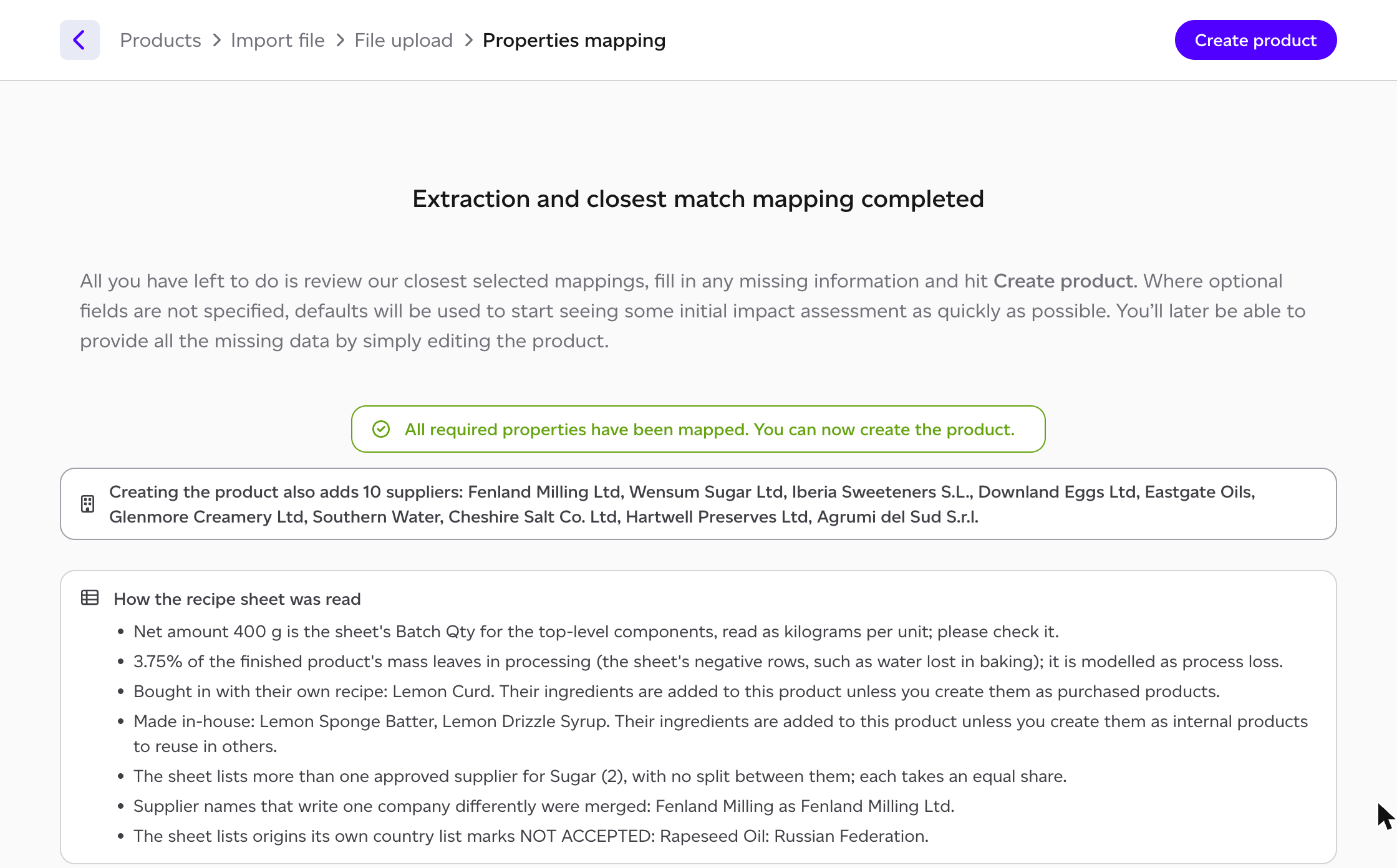
- The net amount it assumed. The shares become grams from it: it is the sheet's batch quantity for the top-level components, read as kilograms per unit. If the sheet gives none, enter it.
- Which components are bought in and which are made in-house.
- Ingredients with more than one approved supplier and no split between them: each supplier takes an equal share, which you can change on the review.
- Supplier names that were merged because they write one company differently, such as "Fenland Milling" and "Fenland Milling Ltd".
- Origins the sheet's own country list marks NOT ACCEPTED, if any.
Components with their own recipe
A component the sheet gives the recipe of, such as a bought-in lemon curd or a batter you make, is listed under Components with their own recipe. For each one, choose under Import as:
- Add its ingredients to this product, the default: its ingredients go into your product at its share.
- Use your existing product, where you already have it. The review says how many of your products use it and whether its recipe matches this sheet, differs from it, or could not be compared. Where you have one, it is chosen for you.
- Create a purchased product, for one you buy in, or Create an internal product (sub-recipe), for one you make: it becomes a product of its own, to reuse in other recipes, with the name and ID you give it. A purchased product can later take a footprint its manufacturer shares with you. Each product created counts toward the products in your plan.
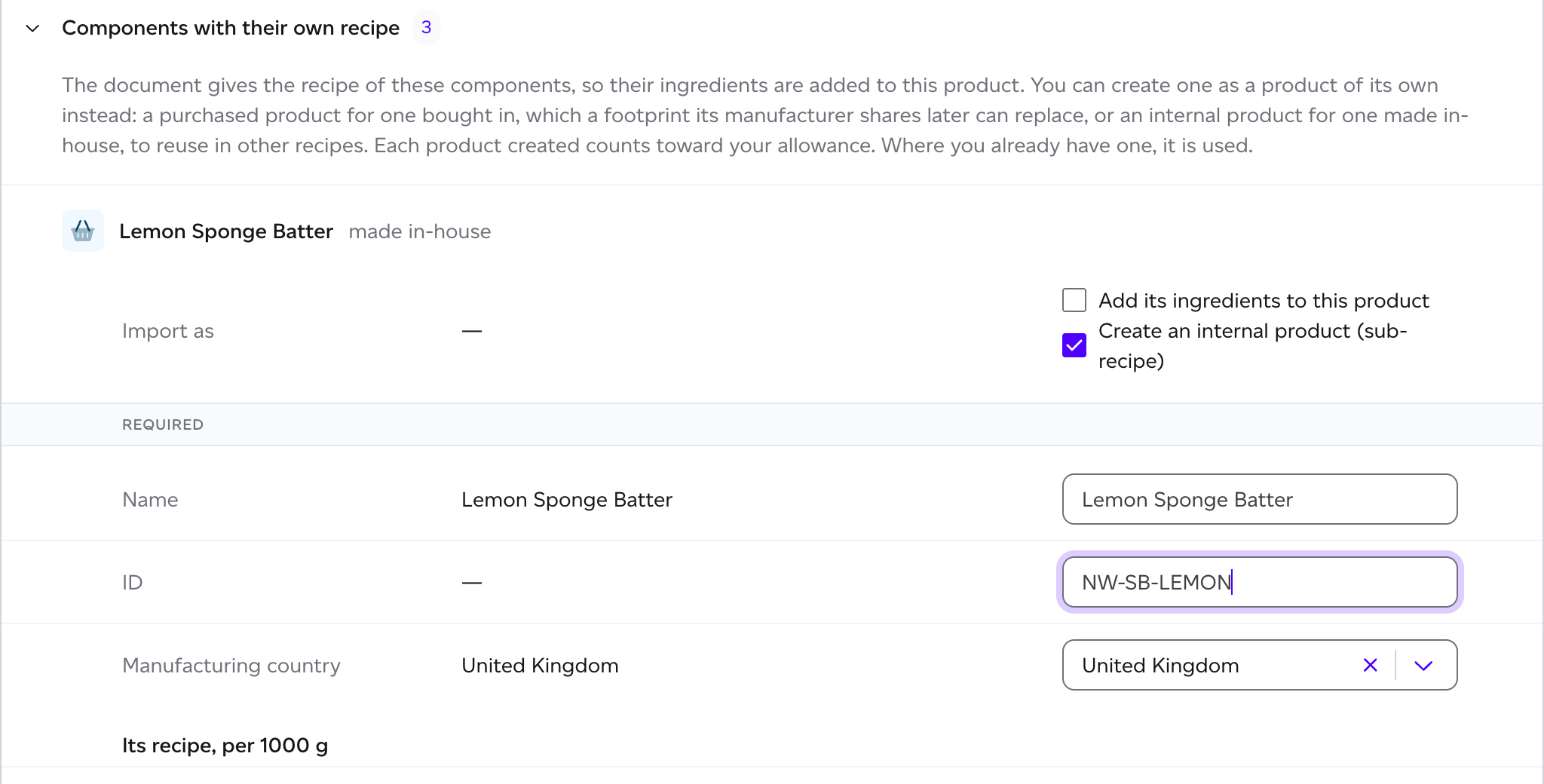
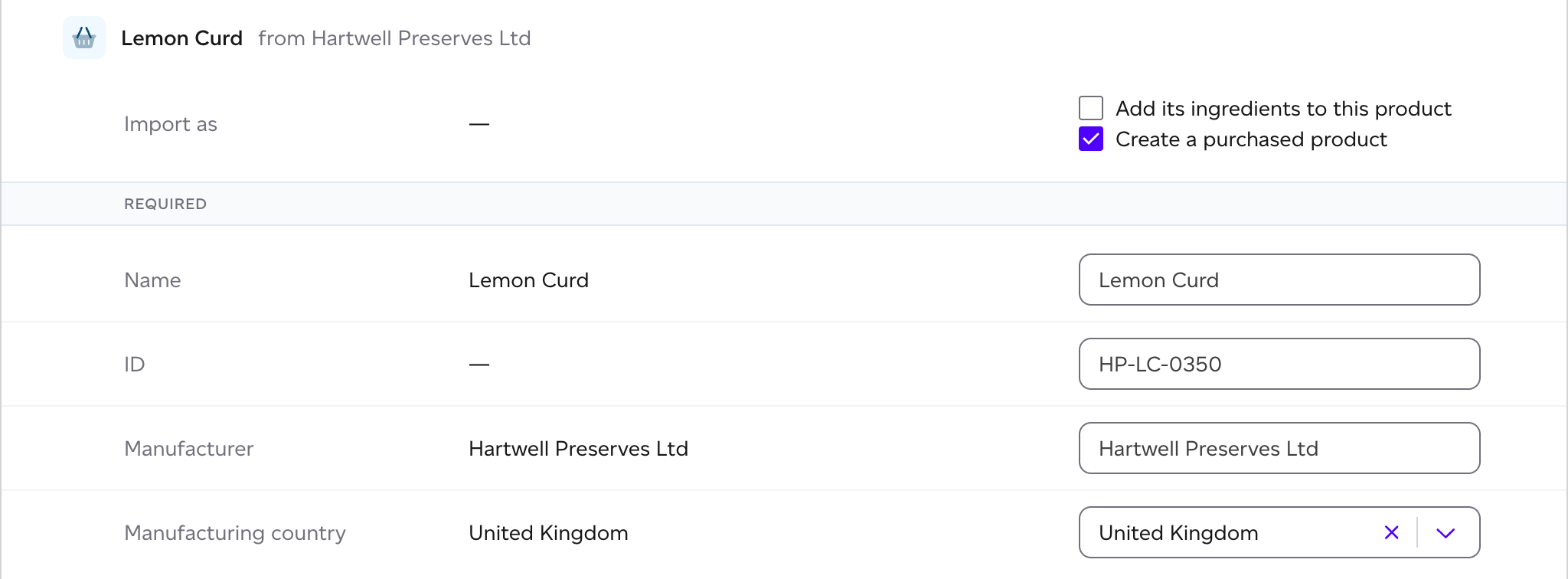
Under each component, Its recipe, per 1000 g lists its lines, which you can check and correct like any other ingredient. As for any import, choose under Manufacturer whether you make the product or a co-manufacturer does.
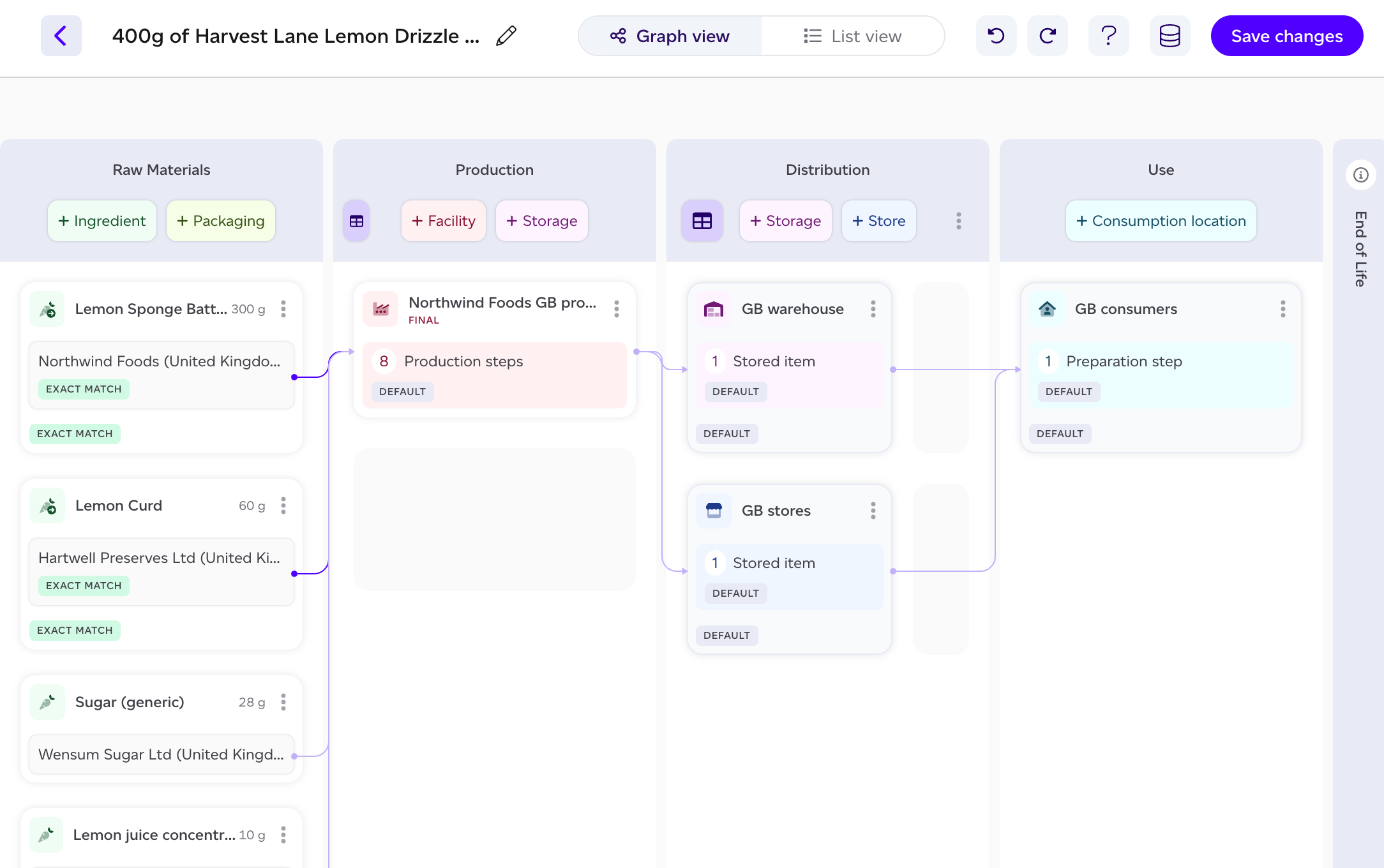
The product and the components you create are created together, and calculated components first, then the product. Each component you create appears in your products like any other, under Purchased goods or Internal products.
Suppliers, shares and losses
- In your product, a line's supplier is who you buy it from; inside a bought-in component, it is the line's manufacturer.
- Suppliers are matched to yours however their legal form is written ("Ltd", "A/S"), and a name you do not have yet is added once.
- A negative row, such as water lost in baking, is counted as process loss.
- Origins are read by country name ("Côte d'Ivoire", "Russian Federation") as well as by code.
For other documents, such as a product specification, see How can I extract data from product specifications with AI?