An assurance user is a read-only login for an external auditor or assurer. They can view and download everything in your account, and change nothing. Every write is refused, whatever they try.
Adding an assurance user
A Global Admin opens Settings > Company > Users and clicks New user.
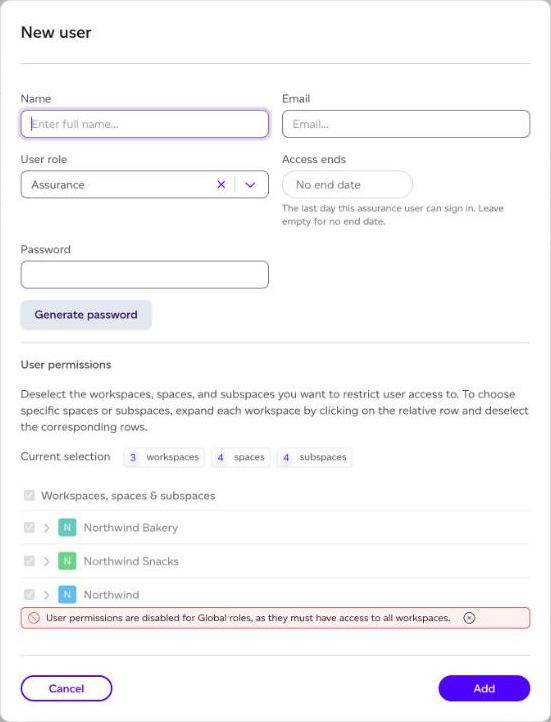
- Enter their Name and Email.
- Choose Assurance as the User role. It cannot be combined with another role.
- Optionally set Access ends: the last day they can sign in. Leave it empty for no end date.
- Click Add.
Assurance users see every workspace, so workspace permissions do not apply. They are not assigned through single sign-on.
You can have up to two active assurance users by default; contact us if an engagement needs more. To change an end date later, use Edit user role on their row, where a chip shows Access until the date, or Access ended.
What an assurance user sees
A banner on every page tells them their access is read-only, and when it ends. Create, edit and import actions are hidden, and the Registry is not shown. They can open products and their contents, reports, Home and the company rollup, download what they see, and read the Changes in the activity log.
After the end date, they can no longer sign in, and an open session stops with Your access has ended.
What is recorded
Everything an assurance user opens, downloads and signs in to is recorded on the Assurance activity tab of the activity log, kept apart from the change log and visible to Global Admins.