The nature and commodities pack answers the commodity and deforestation questions buyers and CDP ask, from data already in your products. Open Disclosures > Nature in the left rail.
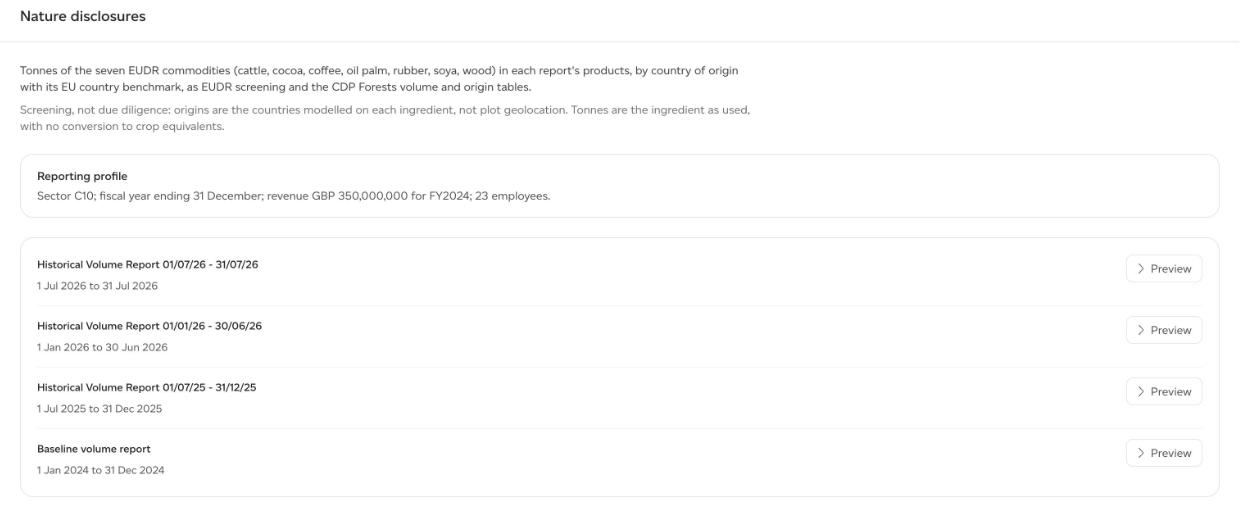
It reports the tonnes of the seven EUDR commodities (cattle, cocoa, coffee, oil palm, rubber, soya and wood) in each report's products, by country of origin, with each country's EU benchmark.
Set the reporting profile first
The Reporting profile is set once for the company, by a company admin, on Company analytics > Disclosures > Nature. The workspace page shows it read only. Every field is optional:
- Sector (NACE Rev. 2), for example C10.8.
- Fiscal year end, a day and month.
- Employees.
- Annual revenue: the currency and the full amount (not thousands or millions; the form reads it back to you), and the year it is for.
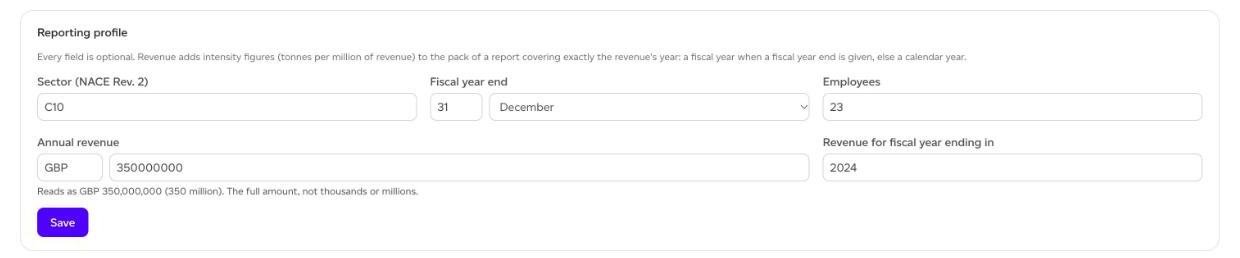
Revenue adds intensity figures (tonnes per million of revenue) to the pack of a report covering exactly the revenue's year: a fiscal year when a fiscal year end is given, otherwise a calendar year. A report covering a shorter period gets no intensity figure, because revenue is not pro-rated, and the preview says why.
Preview, then download
Click Preview beside a report. A large report can take a moment to prepare. The preview shows:
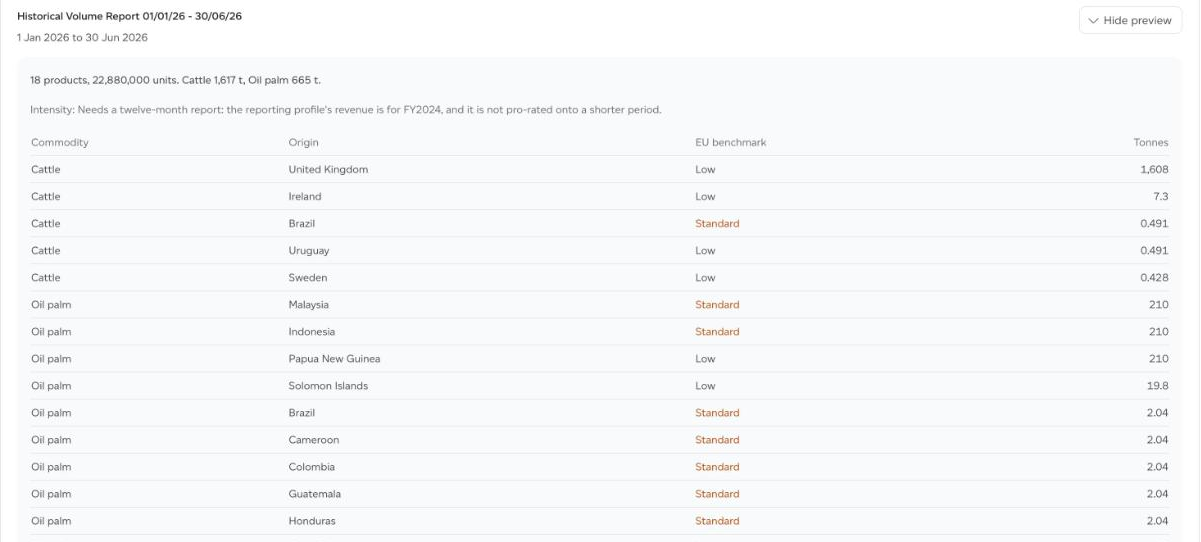
- How many products and units the report covers, and the tonnes of each EUDR commodity in them.
- Intensity, or the reason there is none.
- The commodity table: each Commodity, its Origin, the EU benchmark for that country (Low, Standard or High) and Tonnes.
- Double materiality (ESRS E1 to E4, TNFD): outside-in, how climate and nature bear on your sourcing, with each ESRS standard's highest-scoring risk axis and how many of its axes are assessed; inside-out, your products' own footprint across the EF 3.1 impact categories.
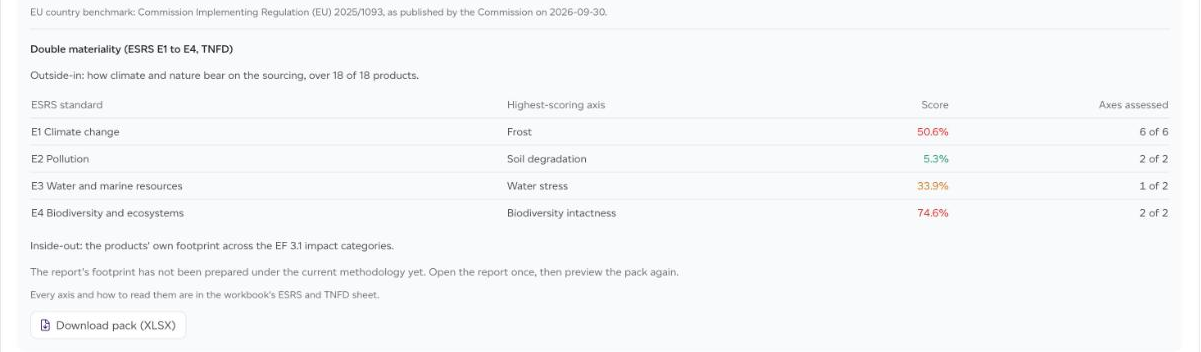
Click Download pack (XLSX). The workbook holds the commodity and origin ledger, an EUDR screening sheet against the EU country benchmark, the CDP Forests 8.2 and 8.5 tables, intensity, and an ESRS and TNFD sheet with every risk axis and how to read it.
If the preview says the report's footprint has not been prepared under the current methodology yet, open the report once, then preview the pack again.
A pack for the whole company
On Company analytics > Disclosures > Nature, each period sums the workspaces whose baseline or historical report covers exactly the same dates, and names the workspaces it leaves out.
What the pack is, and is not
- Screening, not due diligence. Origins are the countries modelled on each ingredient, not plot geolocation, and the pack makes no due diligence statement.
- Tonnes are the ingredient as used, with no conversion to crop equivalents.
- Ingredients derived from an EUDR commodity, such as dairy from cattle, are counted with that commodity, so the screen can include more than the regulation's annex lists.
- The ESRS and TNFD sheet holds inputs to a double materiality assessment, not the assessment itself and not a TNFD report.
- If a sub-recipe could not be opened, the preview names how many, because what is inside it is not screened.