The climate disclosure pack is one workbook per reporting period, built from a baseline or historical report you already have. It lays out that report's GHG figures in the shape each climate disclosure asks for, so it is the workbook your disclosure is filled from rather than a set of numbers to re-key.
Open Disclosures > Climate in the left rail.
What is in the workbook
- The GHG Protocol inventory by scope and category. The Scope 3 categories the pack does not assess are written as not assessed, never as zero.
- Market-based and location-based Scope 2.
- The SBTi FLAG split and the inputs the SBTi FLAG Tool asks for.
- The Land Sector and Removals Standard categories and the spatial boundary of each raw material.
- Data quality for purchased goods, scored on WRAP's Table 8.
- GHG figures laid out for CDP climate question 7.8, ESRS E1-8 and the VSME basic module.
- A WRAP conformance sheet: what the pack meets of WRAP's Scope 3 Protocols for food and drink, what you add, and a draft conformance statement.
The workbook's first sheet says what its figures cover. Read it before you use them: production or sales volumes stand in for purchases, Scope 1 and 2 are modelled from your products (replace them with metered figures where you have them), and the figures have not been verified by a third party. The pack is the product footprint part of your Scope 3 inventory, to merge with your other sources. It is not a CSRD report or a filing.
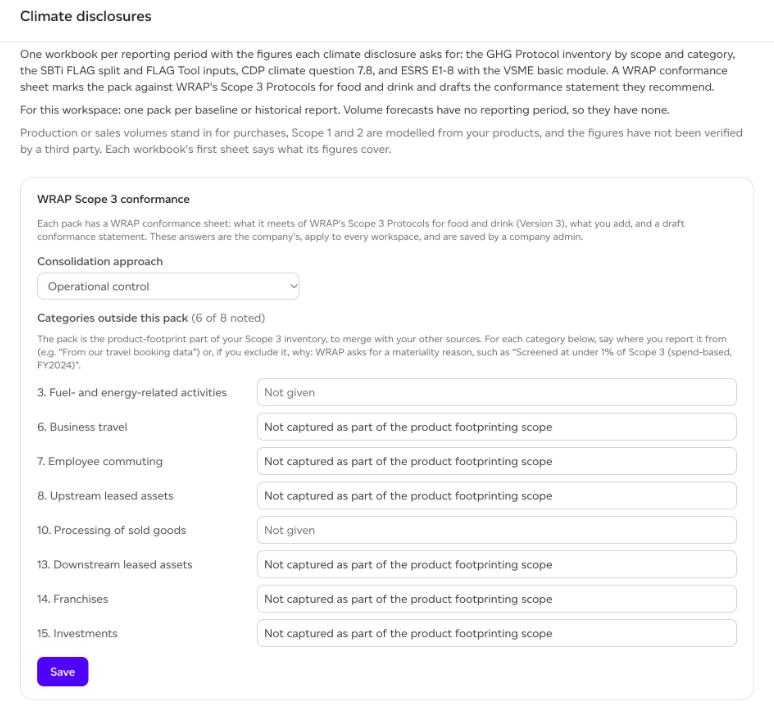
WRAP Scope 3 conformance
Before you download, answer the WRAP Scope 3 conformance form at the top of the page. The answers are your company's, apply to every workspace, and are saved by a company admin.
- Consolidation approach: Operational control, Financial control or Equity share.
- Categories outside this pack: for each Scope 3 category the pack does not cover (3, 6, 7, 8, 10, 13, 14 and 15), say where you report it from, for example "From our travel booking data", or, if you exclude it, why. WRAP asks for a materiality reason, such as "Screened at under 1% of Scope 3 (spend-based, FY2024)".
Click Save. The WRAP sheet and the draft statement in every pack use these answers.
Downloading the pack
Below the form, every baseline and historical report in the workspace is listed with its period and how many products it covers. Click Download (XLSX) beside one. Volume forecasts have no reporting period, so they have no pack.
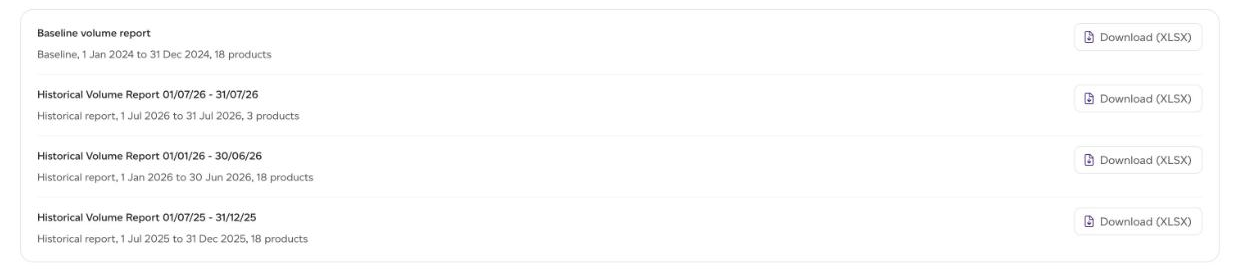
You can also download a report's pack from inside the report: open it, choose GHG in the lens menu, See Full Report, then the Results tab, and Disclosure exports > Download climate pack (XLSX).
The file is named after the workspace, the report and the date, so packs from different periods do not overwrite each other.
A pack for the whole company
Company admins can download a company pack from Company analytics > Disclosures > Climate (open it from the workspace menu at the top of the left rail). Each period sums the workspaces whose baseline or historical report covers exactly that period, and names the ones it leaves out: a workspace whose report covers a different period is not pro-rated into it.
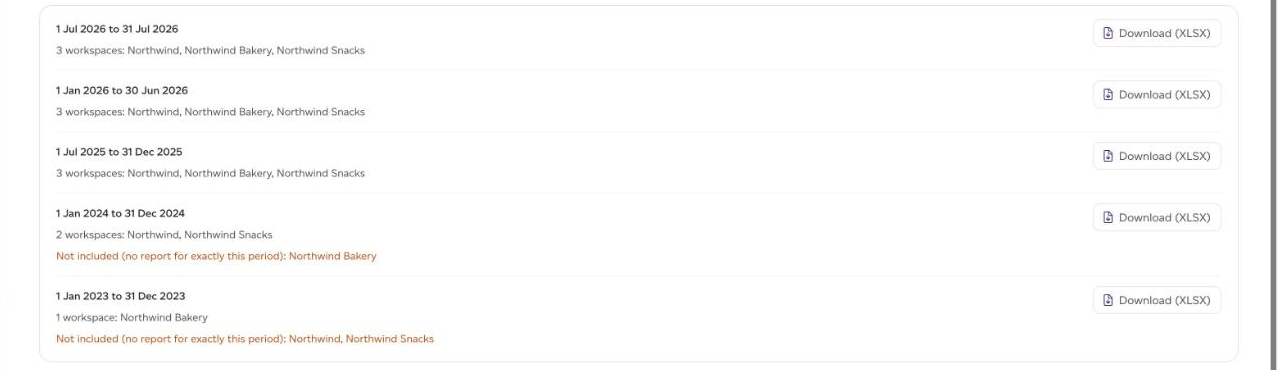
If some workspaces need preparing at the current methodology first, the page says how many and starts the download when they are ready. On a large workspace this can take a few minutes.