A pack size is the same recipe as one of your products, sold in another pack: a 500 g and a 1 kg bag of the same granola, for example. Its ingredients and food steps follow the product it comes from (its base) and scale to the new amount; its packaging and distribution start as a copy you can change. Unlike a duplicate, it stays in step with the base, and a pack size does not count against your products limit.
Adding a pack size
- Go to Products > Sold products.
- Open the menu of a final or intermediate food product and choose Add pack size, right after Duplicate. With one product selected, it is in the selection bar too.
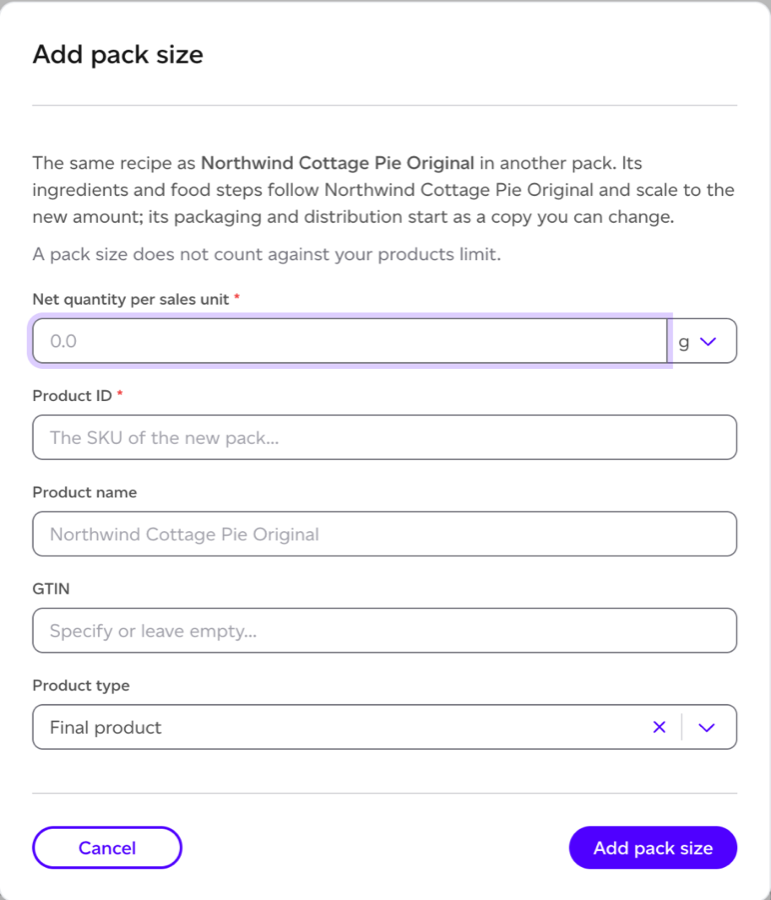
- Fill in the dialog:
- Net quantity per sales unit: the amount in the new pack, in the same kind of unit as the base (weight or volume).
- Product ID: the new pack's own ID. It is required, and it cannot be the base's.
- Product name: defaults to the base product's name with the new amount.
- GTIN: optional.
- Product type: final or intermediate.
- Click Add pack size.
Add pack size is not offered on packaging products, internal products, change models, product groups, products linked to a Registry listing, or a product that is itself a pack size. A product stated in pieces cannot have pack sizes.
What follows the base, and what is the pack's own
Open a pack size and a banner says what it follows: "Pack size of Granola 500 g. Its ingredients and food steps follow Granola 500 g, scaled to this pack: change them there. Its packaging, distribution and the stages after are its own."
- Follows the base: ingredients and food production steps, scaled to the pack's amount. You cannot add ingredients to a pack size, and its production is shown but not edited. Change the base instead: when you save it, the change is applied to each pack size.
- Its own: packaging, distribution, use and end of life. Change them on the pack size as on any product.
On the base product, a line says how many pack sizes follow it ("2 pack sizes follow this product"), with a link to each.
Detaching a pack size
Detach, on the pack size's banner, makes it a product of its own. It keeps its model as it stands and stops following the base. It then counts against your products limit, like any other product. If your limit is already reached, it cannot be detached.
Finding pack sizes in the list
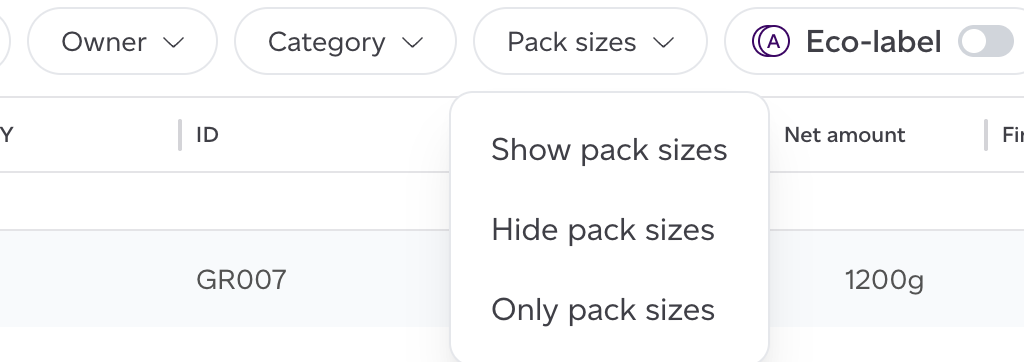
In Sold products, a pack size carries a Pack size chip, and its base says how many it has (3 pack sizes). The Pack sizes filter above the list offers Show pack sizes (the default), Hide pack sizes and Only pack sizes.
Limits
- A product can have up to five pack sizes by default. Beyond that you see "This product already has as many pack sizes as your plan allows. Contact us to raise the limit."
- A product with pack sizes cannot be deleted until they are detached or deleted.
- A product's pack sizes count with it, once, towards your products limit.
Modelling changes
A change model of a pack size covers that pack only, and says so: "This models one pack size. To try a recipe change for every size, model the base product instead." See How can I model changes to an existing product?