Open Performance > Targets in the left rail to reach the Targets page.
On this tab, you can set targets for each of the 16 environmental impact categories measured by PEF, as well as for the 'Total Environmental Impact', the overall measure of environmental impact calculated under the PEF framework.
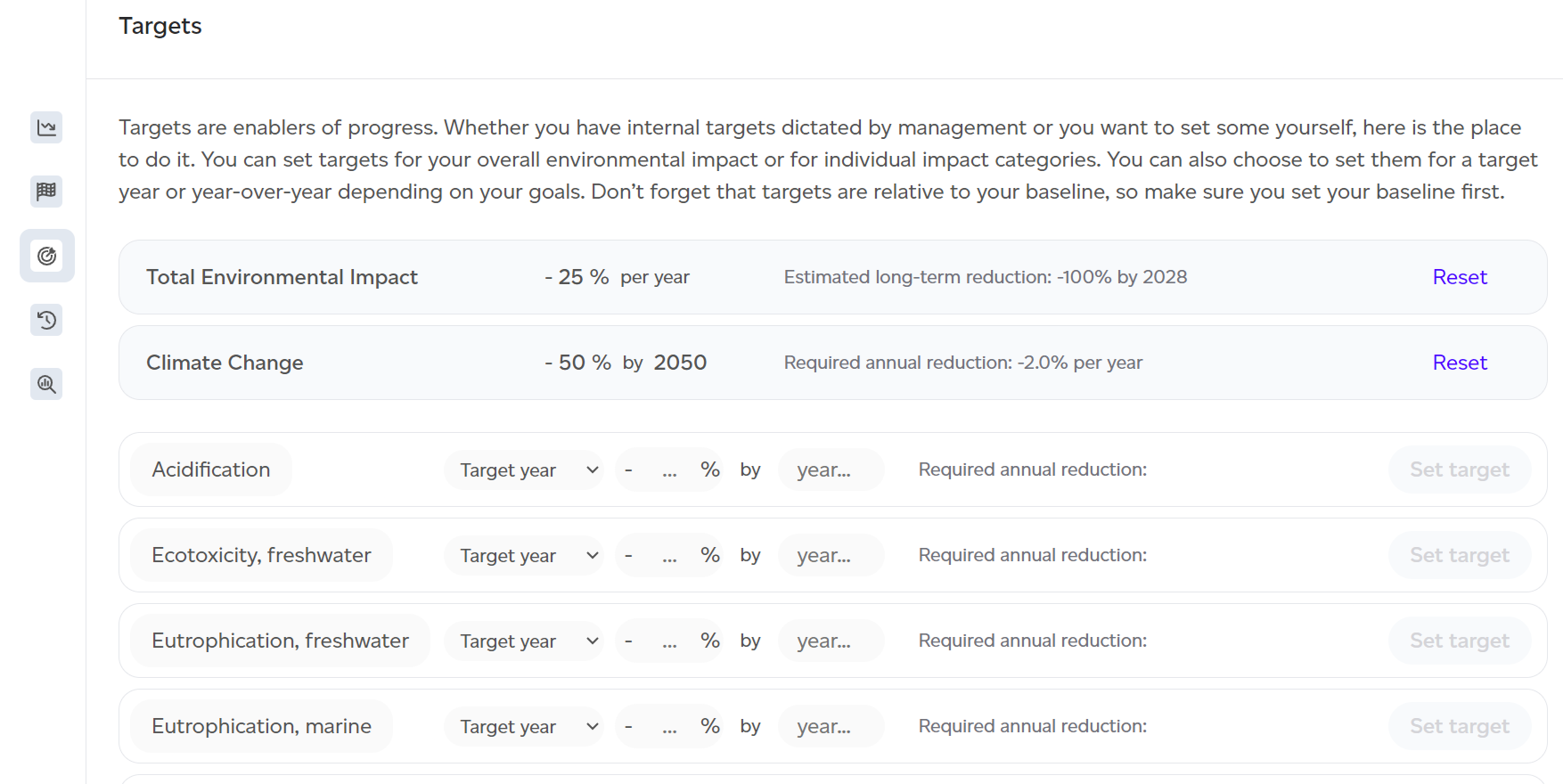
To set a target for a specific category, follow these steps:

- Select the type of target:
- Target year: Set a specific percentage reduction by a target year.
- Year over year: Determine how much you'd like to reduce your impact each year. By default, Target year is selected.
- Enter your desired target. The required annual reduction or the estimated long-term reduction (the year by which -100% will be reached) will be automatically calculated to provide context as you set the target.
- Click Set target. You will be asked to confirm, as the target will apply to everyone using this workspace.
Once the target is set, it will appear at the top of the list, with all set targets visible. Categories without targets will follow. You can always reset any target using the Reset button, which will apply the change to everyone in the workspace.