The Sustained platform allows users to export concise one-page summary reports as PDFs for any product, whether final or intermediate. These reports serve as effective tools for communicating a product's environmental impact to stakeholders.
Export Process:
To initiate the export, navigate to your selected product's report overview. From there:
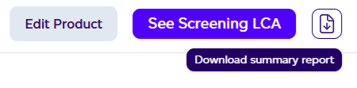
- Select the desired report type (either PEF or GHG Protocol).
- Locate and click the download icon positioned on the right side.
- Upon hovering over the icon, the label 'Download summary report' will display.
- A file save dialog will appear within seconds.
- Choose your desired save location for the PDF.
- Once saved, the document is prepared for stakeholder distribution.
The interface provides straightforward visual cues to guide users through this workflow, making it accessible for those needing to share environmental impact data with external parties.
If your company has a logo, the download asks With [company]'s logo or Sustained only. A Global Admin adds the logo under Company settings > Details.
The footprint statement page
The PEF and recipe summaries have a second page: a footprint statement listing who calculated the figures, the method and datasets, the DQR, PEF and PACT lines, and climate change by life cycle stage. If the product is shared on the Sustained Registry, that page also carries a verify link and QR code so a reader can check it. The GHG summary stays one page.
Allocation and circularity on the summary
Each summary states the allocation rule in one line. When the product uses co-products or residues, the PEF, GHG and recipe summaries also carry a Circularity tile: the share of input mass from co-products and residues, and the climate change avoided compared with the conventional ingredients they replace, not subtracted from the footprint. See Circular ingredients: co-products and residues.
Drafts and internal products have no summary to download.
Data quality on the summary
On the Footprinting, Action & Mitigation and Risk & Analytics plans, the summary report shows the product's or recipe's Data Quality Rating beside its total impact, with a line on what the score means: 1 is the best and 5 the lowest. It is computed by the PEF data quality method, not a third-party verification. See Understanding your data quality score.