Open Supply chain > Providers & suppliers. The list covers your entire company account, not just the active workspace, which is what the 'Managed at organisation level' banner is telling you: an edit here is visible everywhere.
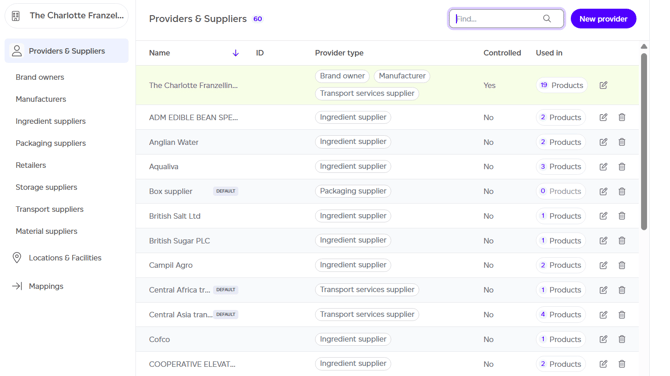
By default, your company appears as one entry with the type 'Brand owner'. You can modify this to match your actual business model, such as manufacturer, brand owner, or ingredient supplier. A single supplier entry can represent multiple provider types simultaneously.
Available Actions
The following operations are available in this section:
- Create a new provider by clicking the 'New provider' button. Import from File can also add the suppliers a specification names for its ingredient and packaging lines.
- Search for specific providers by name (requires at least one existing provider).
- Filter by provider type using the chips above the list.
- Sort by different table fields.
- Edit provider details.
- Navigate to the other Supply chain sections.
A supplier's code is shown beside its name, for example ABP Bandon (C1533), here and in every supplier picker, so two suppliers with similar names are told apart.
Suppliers from the Registry
With Registry access, the list gains a Registry column saying where you stand with each supplier on the Sustained Registry (Connected since a date, with Answers by email for a supplier who answers on the form; Not asked yet, Asked, not connected yet or Asked by email) and how much data they have shared, figures you have entered and asks are waiting.
If you deal with suppliers on the Registry who are not in your supply chain yet, a banner lists them with Add as supplier. The row menu's Registry actions let you enter a supplier's data, ask for data, offer to share your own, see what they share, or link a provider to (or unlink it from) its Registry supplier. See How do I ask a supplier for data?
What the figures above the list tell you
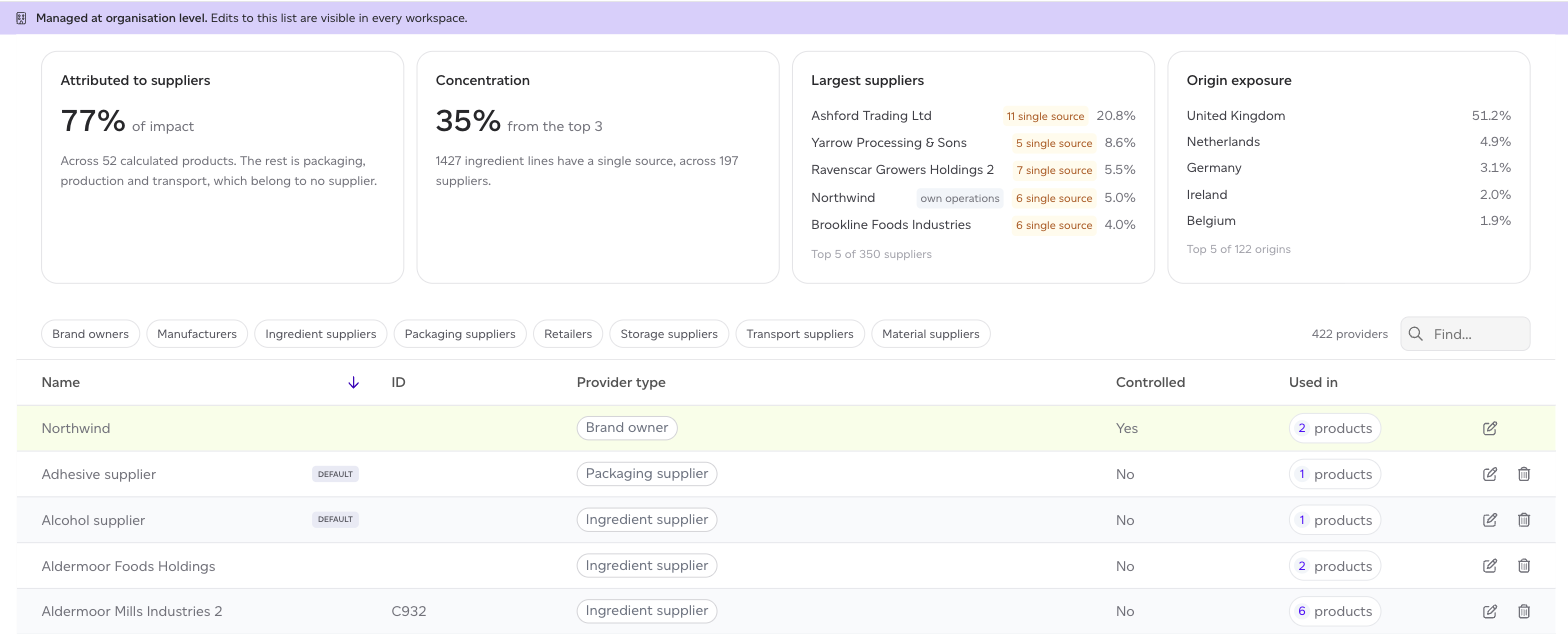
Four figures summarise where your impact comes from before you read a single row. They are covered in Supplier and company analytics, and the one worth knowing here is Attributed to suppliers: the share of your impact that belongs to a supplier at all. The rest is packaging, production and transport, which belong to no supplier, so the remainder is not missing data.
Creating a New Provider
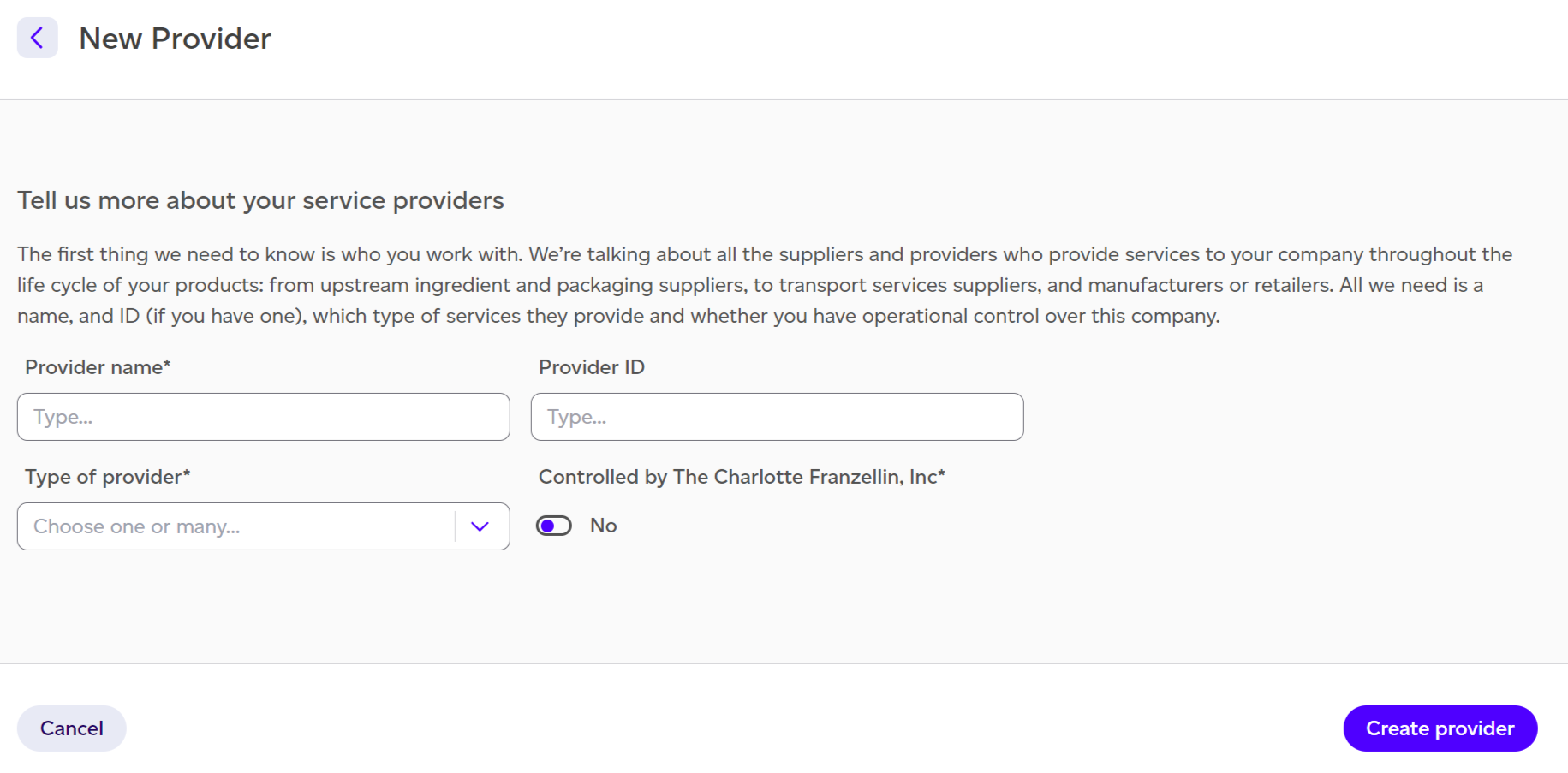
When establishing a new provider entry, you must provide:
- Provider name.
- Provider ID (optional field).
- Type of provider: select one or more categories (manufacturer, brand owner, ingredient supplier).
- Controlled by you toggle: indicates whether this provider operates under your company's control, which affects reporting.